Amazon campaign out of budget early: Black Friday budget rules
Why an Amazon campaign runs out of budget early, what Amazon's 25% and 100% overspend pages say, and how budget rules work on Black Friday.

- 11 min read
- PPC & Advertising
Fact-checked against Amazon's own pages on 3 Nov 2026
On this page
The short answer
- A daily budget is a ceiling: Amazon’s forum reply says it is a maximum, not a pace, so a campaign can spend it in the first hours of the day.
- Amazon gives two overspend figures: an undated guide says a day can run up to 25% over, a 2023 announcement says up to 100%, and the Settings tab is where you see which applies to you.
- Look at what a campaign earns before raising its budget: Amazon itself separates campaigns that run out with sales from campaigns that run out without them.
- For an event, a schedule-based rule ends on its own date: a raised base budget stays raised until someone lowers it.
- Cyber Monday is the last day of the month: and Amazon averages daily budgets over the calendar month.
A seller posted in the US Seller Forums that their campaigns were out of budget by 7am ET and asked if anyone else had the same problem. A reply from the Jameson_Amazon account answered that Amazon sets daily budgets as a maximum spend limit and not as an even spread across 24 hours. The thread is titled Campaign out of budget very early, and it is a good description of what an Amazon campaign out of budget looks like on an ordinary day.
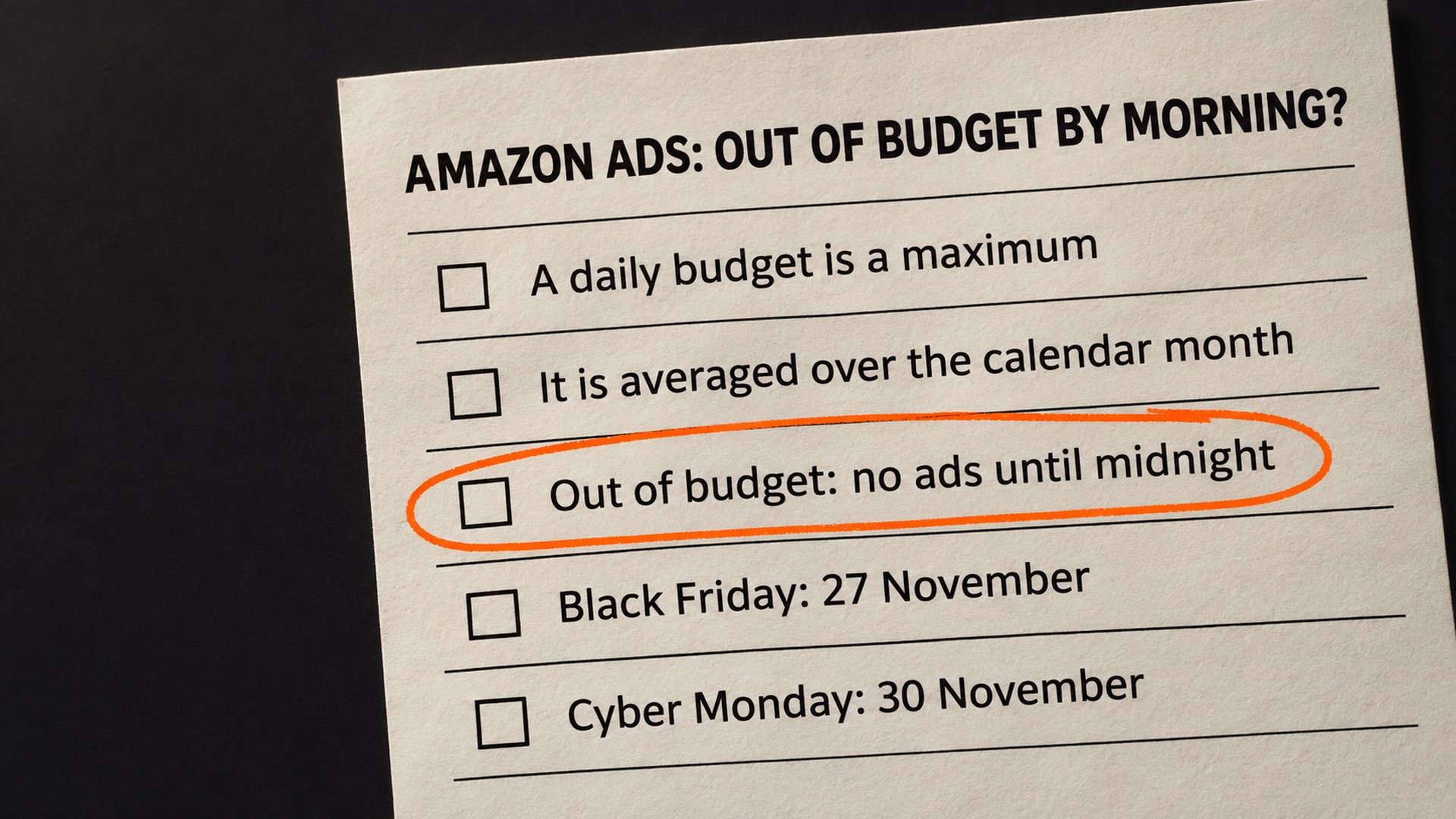
On Black Friday, 27 November 2026, and Cyber Monday, 30 November 2026, the cost is higher, because Amazon says that once a campaign is out of budget, its ads are not eligible to show until the next day at midnight. The obvious reaction is a bigger daily budget. That can be right, but two things in Amazon’s own pages make it less simple than it looks, and the Cyber Monday date adds a third.
Why does an Amazon campaign run out of budget so early?
Amazon describes it plainly in its budget guide: “Daily budgets are spent as quickly as possible, because all available impressions for your ads to show to relevant shoppers are taken.” The guide adds that a smaller budget could be gone in a few minutes if many shoppers are engaging with your products. My reading of that is that the budget is not rationed across the day: it goes whenever your ads win impressions, until it is gone.
The Amazon reply in that thread lists what drains it faster: high competition on your keywords, bids that are aggressive for a modest budget, and the “Dynamic bids - up and down” setting, which lets Amazon raise bids for higher-converting placements.
Then there is the monthly average. Amazon’s guide says: “Your daily budget is averaged over the course of a calendar month.” Its example is a $10 daily budget that can spend $12.50 on a busy day while the month still totals $300. That is where the first difference shows up. The guide adds: “That means you could spend less than or up to 25% more than your average daily budget on any given day.” Amazon’s 9 May 2023 announcement says its updated policy lets you spend up to 100% more than the average daily budget on any given day, and that you can set the extra spend at 25% or 100% for all your campaigns in the Settings tab.
Two Amazon pages, two numbers. The guide is undated, so it may simply be older, but I cannot tell from outside your account which one your campaigns use, and I would not guess. Open the Settings tab in the campaign manager and read it there.
The 2023 announcement also says where the extra comes from: budgets from previous days, when spend was below the daily budget. That is my reading of the mechanism, not a rule Amazon states in those words, but it follows from the wording: a campaign that spent its full budget every day has no leftover days to borrow from.
How do you know whether the campaign deserves more budget?
Amazon’s budget guide walks through the situation. It separates campaigns by what happens when the budget runs out:
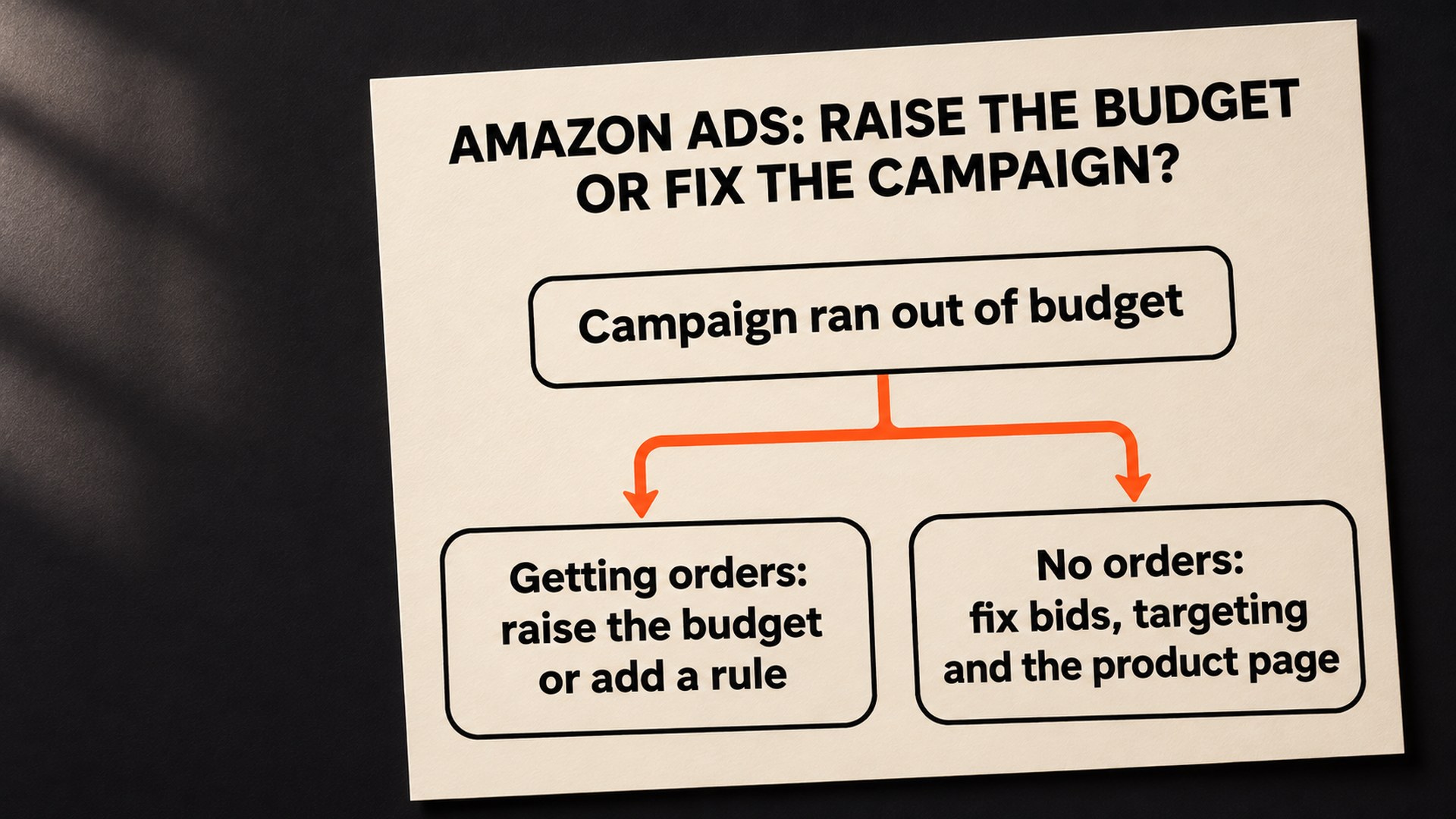
- Out of budget and converting: Amazon suggests raising the budget, moving budget over from campaigns that are not using theirs, or trying a performance-based rule.
- Out of budget and not converting: Amazon suggests looking at bidding, targeting and the product detail page first, and if nothing improves, reducing that budget and moving it to a campaign that performs.
That second line is the one worth taking seriously before a sale. A campaign that runs dry by 7am with no orders is spending its whole budget on clicks that do not buy. Giving it more only buys more of the same. A seller who replied in the forum thread made the same point in plain terms: if ACoS on the days the budget runs out is above your target, the cap is doing you a favour and the campaign needs fixing. That was one seller’s reply, not Amazon’s position, though Amazon’s guide also says to fix a campaign that is not converting before giving it more. Our guides on fixing a high ACoS and ads that get clicks but no sales cover how to read that.
The same seller suggested sorting the search term report by spend, because a few terms often take most of the budget. The seller’s suggestion was to move those terms into their own campaign with a smaller cap, or to lower their bids. Our negative keywords guide covers the related job of finding terms that spend without orders. Check the numbers on your own account before relying on any of it.
Amazon also gives you a page for the question. The Budgets page (beta) in campaign manager shows average time in budget, estimated missed sales and a recommended budget. Amazon’s own footnote says the missed-sales figures and the recommended budget are estimates, for reference only. Use it to spot which campaigns run dry most often, then judge those campaigns by profit rather than by the estimate. Our TACOS guide explains how to read ad spend against total sales.
What to check first before Black Friday
Work through these in order. The cheap checks come first, and a portfolio cap is one reason raising a campaign budget can change nothing.
- The overspend setting: read the Settings tab and note whether your account allows the extra 25% or the extra 100%.
- Portfolio caps: the Amazon reply in the thread listed a portfolio budget cap as a way to control spend, and a seller in the same thread pointed out that a cap on a portfolio limits several campaigns at once. If one sits above the campaign you are raising, check it first.
- Rules already running: Amazon’s help page says that when more than one rule applies, the increases are added together. A rule you set months ago may still be active.
- Bid strategy: “Dynamic bids - up and down” can drain a budget faster. The same reply suggested “Dynamic bids - down only” as a way to control costs, so decide per campaign whether the speed is worth it.
- Which campaigns run dry, and when: the Budgets page and your campaign reports give the pattern. A campaign that always empties on weekends needs a different fix from one that empties every day.
How do budget rules work for Black Friday and Cyber Monday?
Amazon’s help page on budget rules, which it showed as updated on 2 November 2026, describes two types. A schedule-based rule raises the budget for a special event such as Black Friday or for a custom date range, by a percentage you choose, and the increase can apply all day or only for part of it. A performance-based rule raises the budget when a metric such as ROAS reaches a value you set.
Three details in Amazon’s pages decide how those rules behave on a sale day.
The timing: the help page says active rules are reviewed daily to determine the next day’s budget. I read that as a reason to have a Black Friday rule saved and showing as active before the day, and not to create it at 6am on the 27th. Amazon does not say what happens to a rule created part-way through a day, so this part is my reading.
The lookback: Amazon’s 12 August 2021 launch announcement for Sponsored Products budget rules says of performance-based rules: “We calculate these metrics using data from the previous 7 days.” It adds that a campaign needs a minimum daily budget of $10 to use them. The current help page does not restate the seven days, so check how your rule is described in the console. If the window still applies, a performance rule on 27 November is judging 20 to 26 November, which is the week before the sale. It can only react to pre-event numbers on the first morning, which is when you most want it to have acted.
The stacking: the help page gives an example where a 40% performance rule and a 100% Black Friday schedule rule add up to a 140% increase on that day, while a third 20% rule is not applied because its condition was not met. So a performance rule you left running is part of the number, whether or not you remember it.
A schedule rule suits an event better than a raised base budget because it has a start and an end. A raised base budget is still raised on 1 December until someone lowers it, and a campaign that was only worth the money on a sale day keeps spending after it. Which percentage to choose is a different question, and Amazon’s own guides give examples from 20% to 100% that are illustrations, not advice for your product. Amazon says it also provides recommendations for key shopping events, which is a starting point you can compare with your own sales history.
Why is Cyber Monday a month-end problem for Amazon ad budgets?
Cyber Monday falls on 30 November 2026, the last day of the calendar month. Amazon averages a daily budget over the calendar month, and the 2023 announcement says the extra spend on a busy day comes from earlier days when spend was below budget.
Put those together and a risk appears, which I want to label as my reasoning rather than Amazon’s rule. A campaign that emptied its budget every day of November has no unspent days behind it by the 30th. On the Amazon pages listed under Sources, I did not find how a schedule rule’s raised budget counts toward the monthly average, or whether the extra allowed on a given day shrinks late in the month. The safe way to learn is to look: check spend on a campaign on 30 November, or try a rule on one campaign you can afford to be wrong about before relying on it for the hero product.
How do you stop campaigns running dry on every sale day?
Amazon recommends checking the Budgets page at least every two weeks and reviewing budgets on the same rhythm. The reason is practical. A campaign that goes dry on one Tuesday has a different cause from one that goes dry every Tuesday, and you can only see the second kind in a pattern.
After the sale, write down which campaigns ran out, what time, and whether they earned the money they spent. That note gives you something real to plan from when the next shopping event comes up. It also shows how your own account behaved under the 25% or 100% setting.
Get your Black Friday ad budgets checked before 27 November
The hard part of a budget is deciding which campaigns have earned more of it, and which are quietly spending without orders. That is the work in our PPC and advertising service: going through the campaigns that run dry, the rules already active and any portfolio cap, and telling you plainly where the money is and is not working. We cannot promise more sales from a bigger budget, and a campaign without orders should not get more.
If you want a first step with no call, our free audit gives you a written review of one listing. For the campaigns, contact us through the services page and we will look at them with you.
Common questions about Amazon campaigns running out of budget
What does out of budget mean on Amazon?
It means the campaign has used up its daily budget, so its ads are not eligible to show until the next day at midnight, when the budget resets. Amazon says in its budget guide that daily budgets are spent as quickly as possible, so a smaller budget could be spent in a few minutes if many shoppers are engaging. That guide is for Sponsored Products.
Can Amazon spend more than my daily budget in one day?
Yes, within a monthly average. Amazon's budget guide says a day can run up to 25% over the average daily budget, while its 9 May 2023 announcement says up to 100% more on any given day, set in the Settings tab. Check which one your account uses there.
Should I raise my daily budget or use a budget rule for Black Friday?
Amazon's guide suggests raising it for campaigns that convert, and it treats a campaign that runs out with sales differently from one that runs out without them. For a single event, a schedule-based rule has an end date, which a raised base budget does not. The Amazon Ads budget rules help page describes both rule types.
Do performance-based budget rules work on the first morning of a sale?
They may not react the way you want. Amazon's 12 August 2021 launch announcement for Sponsored Products budget rules says the metrics are calculated using data from the previous 7 days, and the current help page does not restate that window. If it still applies, the rule is judging the days before the sale, so check how your rule is described in the console.
Are budget rules available in every Amazon store?
The list did not cover every store, so check yours. The 2021 launch announcement lists the stores where Sponsored Products budget rules were available then, including the US, Canada, Mexico, the UK, Germany, France, Italy, Spain, the UAE and India, and says vendors and registered sellers can use them. Check the campaign manager in your own store.
How much extra budget should I set for Black Friday?
Amazon does not give one number. Its guides use examples from 20% to 100%, and the Amazon Ads budget rules guide shows an increase of 50% for Black Friday as an example only. Amazon also shows recommended budgets for key shopping events in the campaign manager, and its Budgets page figures are estimates for reference only.
Sources
- Campaign out of budget very early, US Seller Forumssellercentral.amazon.com
- Sponsored Products budgets: the basics and best practices, Amazon Ads guideadvertising.amazon.com
- New sponsored ads daily budgeting policy and options, Amazon Ads announcement (9 May 2023)advertising.amazon.com
- Understand budget rules in Sponsored ads, Amazon Ads help (updated 2 November 2026)advertising.amazon.com
- Budget rules now available in Amazon advertising console globally, Amazon Ads announcement (12 August 2021)advertising.amazon.com
- An introduction to budget and bidding rules, Amazon Ads guideadvertising.amazon.com
Founder, AVA INC.
Shilpi Dudani is the founder of AVA INC. Her team manages Seller Central accounts, fixes catalog problems and optimizes listings for Amazon sellers.
Not sure whether this is your problem?
We will look at your account and tell you what is actually wrong before you spend anything.
Get your free, no-obligation audit