Amazon multichannel selling tools: what to connect, and Walmart's shipping rule
Amazon's multichannel selling tools put Walmart and Shopify orders in Seller Central. What works now, the Walmart shipping rule, and what to connect first.

- 12 min read
- Marketplace Expansion
Fact-checked against Amazon's, Walmart's and Shopify's own pages on 8 Oct 2026
On this page
The short answer
- What launched: on 24 September 2026 Amazon announced multichannel selling tools in Seller Central. You can connect eBay, Shopify, TikTok and Walmart accounts, import and link those listings, see their orders and fulfill them through Amazon.
- Who gets it, and when: sellers in the US store, rolling out gradually “over the coming months, at no additional cost to sellers.” If you cannot see it yet, that is expected during a gradual rollout.
- What is not live yet: editing a description once and having it update everywhere, and AI-written listings for other channels, are described in the future tense. The profit view is not in Amazon’s list of what is available today, though the announcement quotes one seller already using it.
- The Walmart rule: Walmart allows Multi Channel Fulfillment only “in neutral packaging using unbranded delivery vehicles.” Walmart’s own FAQ adds that you must use a neutral box and block Amazon Logistics as a carrier.
- The cost: Amazon charges a 5% surcharge for blocking Amazon Logistics, which its own page says is waived until 14 January 2027.
- The real risk: two tools touching the same listings and stock. Amazon has not said whether the new tools update quantities on other channels, so decide which system owns your inventory numbers before you connect a second one.
Amazon’s announcement of its multichannel selling tools, published on 24 September 2026, describes a seller who sells phone cases on Amazon, Shopify and Walmart. They open Manage Orders in Seller Central, see every unshipped order on one screen, pick a Shopify order and click to fulfill it through Amazon. Tracking flows back to Shopify on its own.
It is a good example, and it is a Shopify order for a reason. Amazon’s example does not show a Walmart order, and Walmart has a say in how that parcel arrives. Its shipping policy allows Amazon’s fulfillment only in neutral packaging on unbranded delivery vehicles, and Amazon’s announcement does not mention that at all.
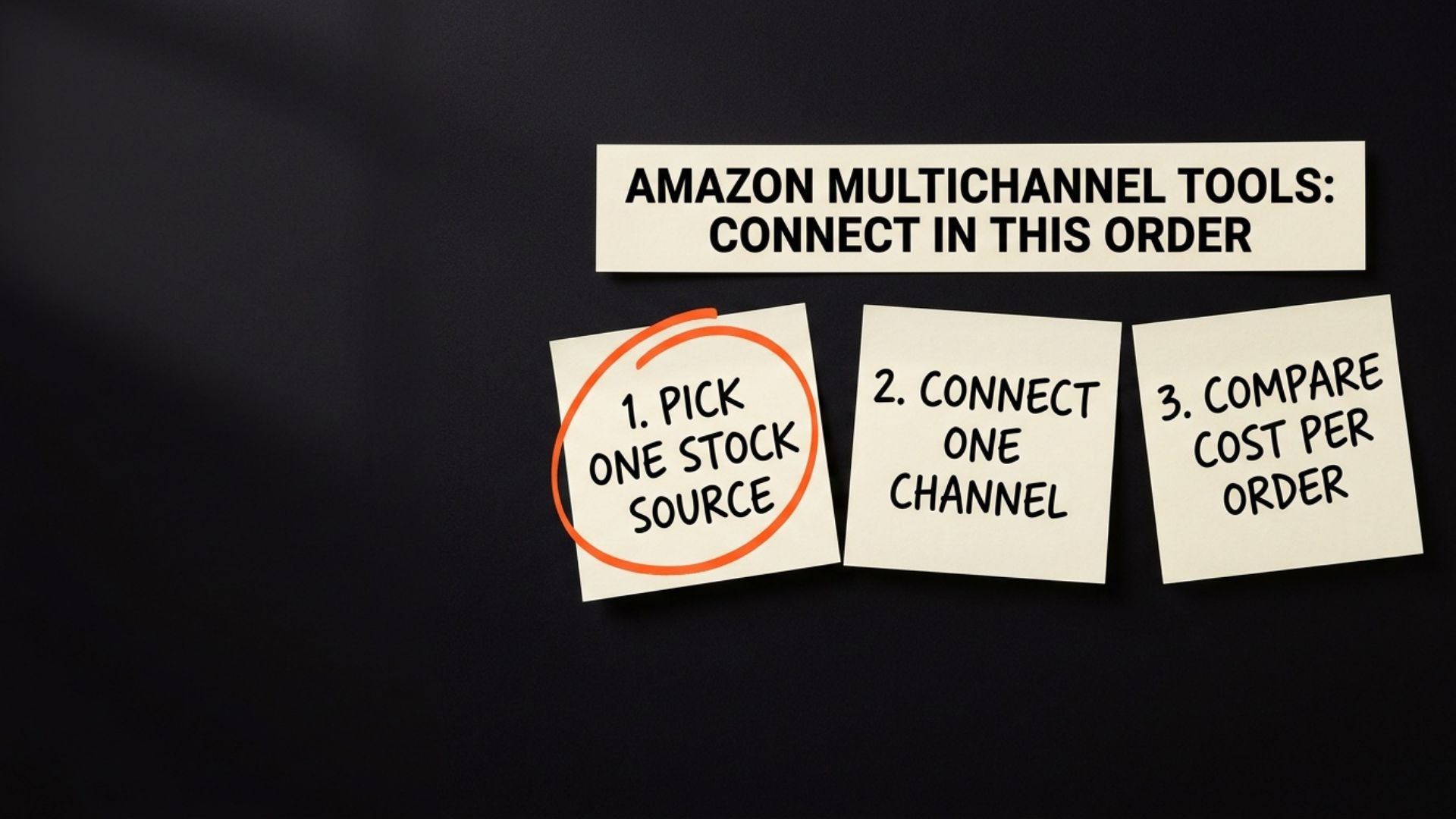
This guide covers what the Amazon multichannel selling tools do today, what is still coming, the Walmart rule that applies to every Walmart order you route through Amazon, and the order we would connect things in if you already run Walmart or Shopify through another app.
What Amazon’s multichannel selling tools actually do today
The announcement on About Amazon is careful about tense. In Amazon’s words, “the current experience starts with the ability to connect eBay, Shopify, TikTok, and Walmart accounts to Seller Central, import and link off-Amazon listings, view multichannel sales and orders, and fulfill across channels in a few clicks.”
That is four things: connect, link, view and fulfill. To get started, Amazon points to “the multichannel settings page, found in the Settings menu in the top right navigation bar.”
Most of the rest is written as a promise for later. Amazon says a seller “will be able to enhance the description once on the Manage Products page, and it updates everywhere it’s live,” formatted for each channel. It says sellers will be able to generate channel-ready titles and product details with AI. The profit view is the mixed one: Amazon says the tools “will give” a real-time picture of earnings per product, pulling in ad spend, traffic and sales, yet it also quotes a seller already using a profitability dashboard. It is not in Amazon’s own list of what is available today, so we would not plan around it until it appears on your screen.
The headline number in the announcement is that “More than 95% of independent sellers in Amazon’s store sell across multiple channels.” Amazon gives no method for that figure, and PPC Land’s report on the launch points out the same gap. PPC Land also notes that no European timetable was given, so for UK or German stores this is not something to plan around yet.
Why this matters if you already sell on Walmart or Shopify
The problem Amazon is solving is real. A Shopify Community thread titled “Best way to keep Shopify and Amazon inventory in sync?”, posted on 29 August 2025, describes it exactly: a sale goes through on Amazon, Shopify does not update fast enough, the same item sells on Shopify, and the seller oversells. The poster adds that “FBA makes it even trickier.”
The announcement names Multichannel Fulfillment, Amazon Warehousing and Distribution and Buy with Prime as Amazon’s existing answers to that. What is new is that the orders and listings themselves now sit inside Seller Central.
That is where a brand already selling on three channels needs to slow down. You probably have something running already: an order management app, a Shopify sales channel, a sync tool someone set up two years ago. Nothing in the announcement says how the new tools work alongside those, or whether they write stock quantities to other channels. So the question is not whether the new screen is useful. It is which system is in charge of your stock count once both are connected.
Our reading, and it is a reading rather than anything Amazon has published: if two tools can both push a quantity to the same Shopify or Walmart listing, the listing shows whichever wrote last. That is the oversell from the forum thread, just with one more tool involved.
How to know if this is your problem
Amazon says connecting takes a few clicks, which is exactly why it is easy to connect before thinking. Signs it is worth pausing first:
- You already sync Amazon and Shopify stock: through any app or connector. Two sources of truth is the setup most likely to go wrong.
- You fulfill Walmart orders from FBA stock: or plan to. The Walmart rule below applies to every one of those orders, and Walmart scores your shipping on its own standards, as our guide to how Walmart’s seller metrics differ from Amazon’s explains.
- Your Walmart orders go out from a 3PL or WFS today: and the new button makes it tempting to move them to Amazon without comparing what each order costs.
- More than one person runs your channels: one on Amazon, one on Shopify or Walmart. Orders for their channel can now be fulfilled from Seller Central, and once the one-edit description arrives, listing changes could reach their channel too.
The Walmart shipping rule the new button does not mention
Walmart’s Shipping and Fulfillment Policy, last updated on 2 July 2026, says: “You may use Multi Channel Fulfillment as long as you ship in neutral packaging using unbranded delivery vehicles, which means neither can display any logos, trademarks or branding of the other retailer.”
The same policy says “You may not ship orders in competitor boxes or packaging,” and bans promotional or marketing materials in the parcel, naming “customer surveys, requests for product reviews, promotional offers, coupons or similar marketing items.” A note under those requirements is worth taking seriously: “A single violation may result in action against you, such as suppressing your listings from search results, imposing selling limits and withholding all funds.”
The policy’s FAQ is more specific still: “When using Amazon MCF, you must ship the items in a neutral box and block Amazon Logistics as a carrier to ensure orders aren’t delivered using Amazon-branded vehicles and to comply with Walmart’s shipping and fulfillment policy.”
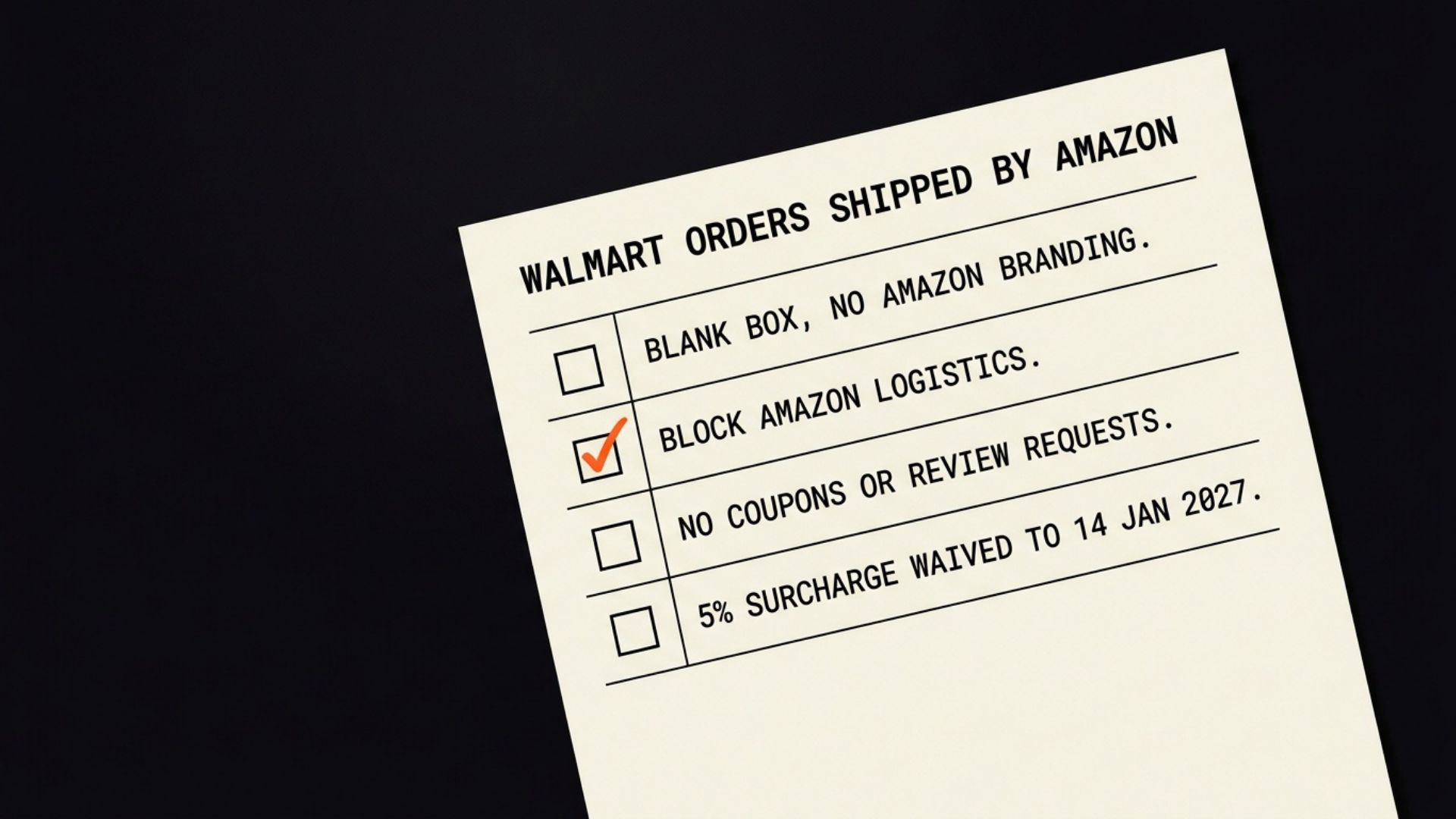
Amazon knows about this rule and documents how to meet it. Amazon’s guide to fulfilling Walmart orders with Multichannel Fulfillment says that for channels that do not allow delivery by Amazon Logistics, “such as Walmart Marketplace, you can select to block AMZL and deliver your orders through alternate carriers.” It says “MCF orders are automatically shipped in blank packaging without any Amazon branding, at no additional cost to you.”
For a manual order, that page says the order needs to “ship in blank boxes and Block Amazon Logistics as a carrier in Section 2 of Multichannel Fulfillment order page in Seller Central.” For orders sent through an integration, “this may be automatic, or may require configuration within the integration, depending on the solution you are using.”
That last sentence is the one to hold on to. Amazon’s page says MCF packaging is blank automatically, yet its own FAQ still tells you to select blank boxes on a manual order, and it has not documented whether the new fulfill button in Manage Orders blocks Amazon Logistics for a Walmart order by itself. It may well do, but “may” is not something we would bet a Walmart account on, so until you have seen it on your own screen, treat the carrier block as a setting to check on the first Walmart order you route, not an assumption.
There is a reason to check even when the setting is right. In a reply posted about a year ago under Amazon’s surcharge waiver announcement on the US Seller Forums, one seller wrote that they chose a neutral box and blocked Amazon Logistics on five orders, and “3 out 5 orders shipped by Amazon Logistics”. That is one seller’s report, not a pattern anyone has measured. It is still why we would look at the carrier on the first few tracking numbers rather than trust the setting alone.
There is also a cost. The same Amazon page says “the standard 5% surcharge from blocking Amazon Logistics will be waived until January 14, 2027.” The earlier forum announcement gave 14 January 2026 for the same waiver; the later page moved it to 2027. So the surcharge is waived for now, and the date to put in your calendar is 14 January 2027.
What to check first before you connect
In the order we would look at it:
- Whether you have it yet: look for the multichannel settings page under Settings, top right. Amazon says the rollout is gradual over the coming months, so if it is missing, wait rather than open a case.
- Every tool that touches your stock today: write them down, channel by channel. Include the Shopify apps, the Walmart integration and any order management system. You cannot pick a source of truth until you know who the candidates are.
- Which one owns the number: one system decides what quantity each channel shows. Everything else reads from it. Do not assume the new Seller Central screen takes that role, because Amazon has not said it syncs quantities.
- Your Walmart fulfillment settings: for any Walmart order that will leave an Amazon fulfillment centre, blank boxes and Amazon Logistics blocked, and no inserts in the box.
- Your cost per order, by route: what a Walmart or Shopify order costs you through your current 3PL or WFS, against the same order through Amazon. Our guide to Amazon FBA fee changes in 2026 covers the Amazon side of that comparison.
How it gets set up without breaking anything
The order of operations matters more than any single setting. This is how we would approach it for a brand already live on Walmart and Shopify.
Connect one channel first
Start with the channel you log into most, and leave fulfillment routing as it is. Watch the linked listings and the order view for a couple of weeks, looking for listings linked to the wrong product and quantities you do not expect.
Link listings by product, not by title
Importing and linking off-Amazon listings is where a mismatch would start. As an example, a Shopify product with two variants and an Amazon parent with three children cannot line up one to one. If a link looks wrong, fix the catalogue first. Our guide to why Amazon listing changes keep reverting explains why a wrong source of data on Amazon tends to win back.
Move fulfillment one route at a time
Once the cost comparison says it is worth it, move one channel’s orders to Amazon fulfillment and leave the rest. For Walmart, check the first few orders against the policy above: the blank box setting, and a carrier on the tracking number that is not Amazon Logistics.
How to stop it going wrong later
Keeping it clean is the ongoing work:
- Keep your own records: export sales, ad spend and margin by channel into something you control. Amazon says you can disconnect at any time and that your data is not used “to inform Amazon’s retail business decisions.” Your own copy means disconnecting never costs you your history.
- Review at 90 days: ask whether channel decisions are being made on margin or on what Seller Central makes easy. Convenience is a fine reason to use a tool and a poor reason to move a channel.
- Put 14 January 2027 in the calendar: the surcharge waiver ends then, so rerun the cost comparison before it does, and re-read Walmart’s policy while you are there.
- Plan expansion separately: the tools are US only for now. Our guide to expanding from the US to the UK, EU and Canada covers the work that does not get easier with a new dashboard.
One dashboard is a real improvement. Two tools quietly arguing about the same stock count is not.
Get your multichannel setup checked before you connect
The connection takes minutes. The work is everything around it: mapping which system owns your stock, checking that Walmart orders leave Amazon in a way Walmart’s policy allows, and comparing what each order really costs by route.
That is what our Walmart and multichannel team does for brands selling on Amazon, Walmart and Shopify at the same time. We cannot tell you when the tools will reach your account, and we will not promise the setup is risk free. What we can do is look at your current stack with you and tell you what to connect first. Get in touch and we will go through it with you.
Common questions about Amazon's multichannel selling tools
What are Amazon's multichannel selling tools
They are a new part of Seller Central, announced on 24 September 2026, that connects your eBay, Shopify, TikTok and Walmart accounts. Today Amazon says you can import and link those listings, see their sales and orders, and fulfill orders across channels. A one-edit description update and AI-written listings for other channels are described as coming later.
Why can't I see the multichannel tools in my Seller Central account
Amazon says the tools are rolling out gradually to sellers in the US store over the coming months, so not every account has them yet. When they arrive, Amazon says you start from the multichannel settings page in the Settings menu at the top right. Amazon has not announced a timetable for other stores.
Do the multichannel selling tools cost anything
Amazon says they come at no additional cost to sellers. Fulfillment is a separate matter: an order you ship through Amazon is fulfilled through Amazon's network and carries fulfillment fees, which the no additional cost line does not cover, so it is worth comparing that cost with your current 3PL or Walmart Fulfillment Services before moving orders.
Can I fulfill Walmart orders with Amazon MCF
Yes, on Walmart's terms. Walmart's Shipping and Fulfillment Policy allows Multi Channel Fulfillment only in neutral packaging using unbranded delivery vehicles, and it bans marketing inserts such as coupons or review requests. Walmart's own FAQ says that when using Amazon MCF you must ship in a neutral box and block Amazon Logistics as a carrier.
Is there a fee for blocking Amazon Logistics on Walmart orders
Amazon's Multichannel Fulfillment page for Walmart orders says there is a standard 5% surcharge for blocking Amazon Logistics, and that it is waived until 14 January 2027. That date is worth noting, because an earlier Amazon announcement gave 14 January 2026 for the same waiver.
What does Amazon do with the data from my other channels
Amazon's announcement says a seller decides which channels to connect and what data to share, and can disconnect at any time. It also says the tools have strict access controls so a seller's data is not shared with other sellers or used to inform Amazon's retail business decisions. Keeping your own copy of sales and margin data is still sensible.
Sources
- Multichannel selling tools announcement, About Amazon (24 September 2026)aboutamazon.com
- Amazon puts eBay, Shopify, TikTok and Walmart orders inside Seller Central, PPC Land (third party)ppc.land
- Best way to keep Shopify and Amazon inventory in sync?, Shopify Community threadcommunity.shopify.com
- Shipping and Fulfillment Policy, Walmart Marketplace Learn (updated 2 July 2026)marketplacelearn.walmart.com
- Manage Walmart Marketplace orders with Amazon Multichannel Fulfillment, Supply Chain by Amazonsupplychain.amazon.com
- Surcharge waived for use of alternative carriers to fulfill Walmart orders, Amazon announcement, US Seller Forumssellercentral.amazon.com
Founder, AVA INC.
Shilpi Dudani is the founder of AVA INC. Her team manages Seller Central accounts, fixes catalog problems and optimizes listings for Amazon sellers.
Not sure whether this is your problem?
We will look at your account and tell you what is actually wrong before you spend anything.
Get your free, no-obligation audit