Amazon Sponsored Products off-Amazon ads: how to find and limit the spend
Since 10 August 2026 Sponsored Products ads can run in creator content. Where that spend shows, the bid and search term traps, and the setting to change.

- 11 min read
- PPC & Advertising
Fact-checked against Amazon's own pages on 23 Oct 2026
On this page
The short answer
- What changed: Sponsored Products campaigns can run on third-party sites and apps and, since 10 August 2026, in creator content, at the bids and budgets you already set.
- Where to see it: the Sponsored Products Placement Report, which has an Off Amazon row and looks back 90 days.
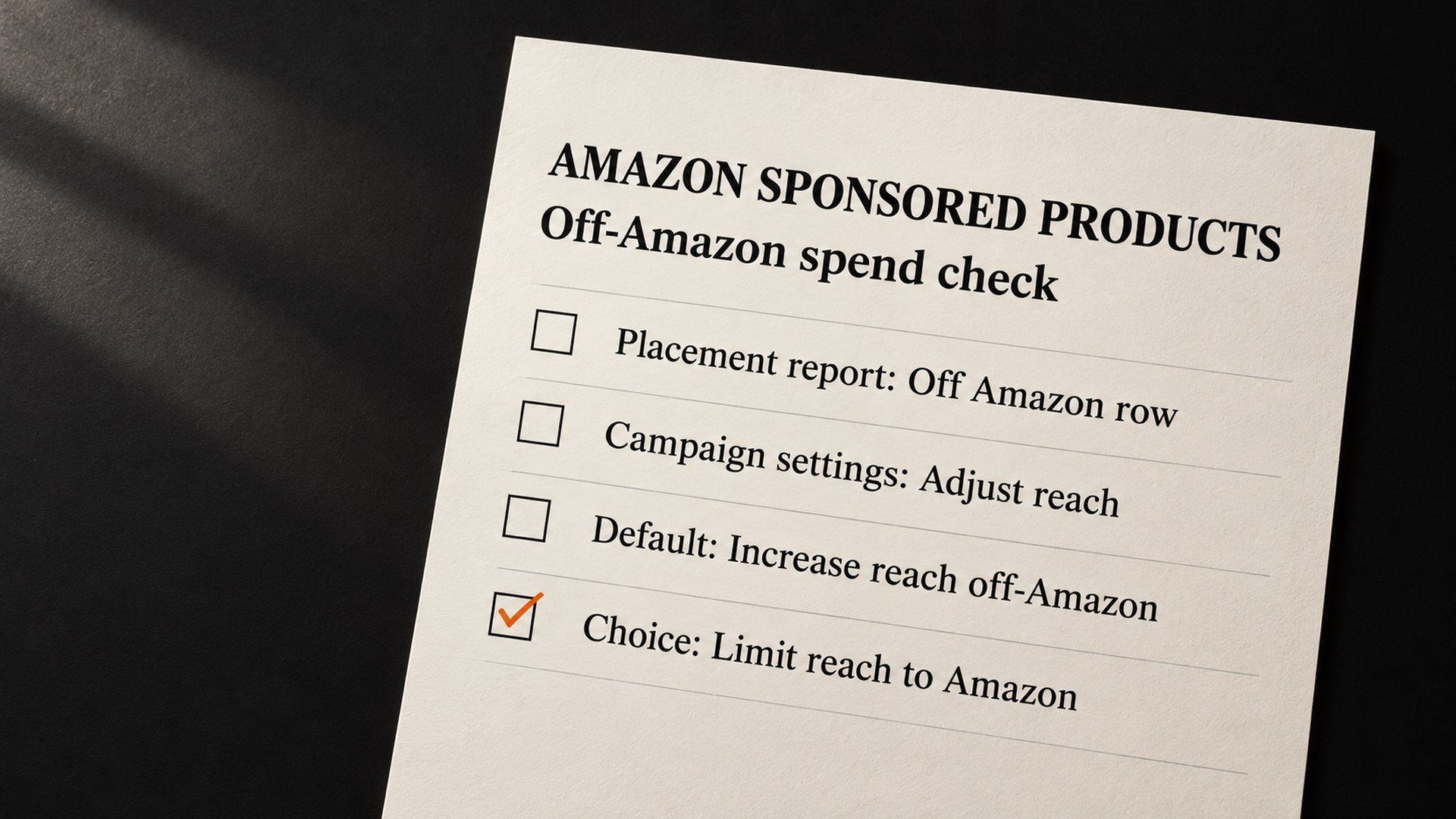
- The control: Campaign settings, then Adjust reach on and off Amazon. The default is Increase reach off-Amazon; the other option is Limit reach to Amazon.
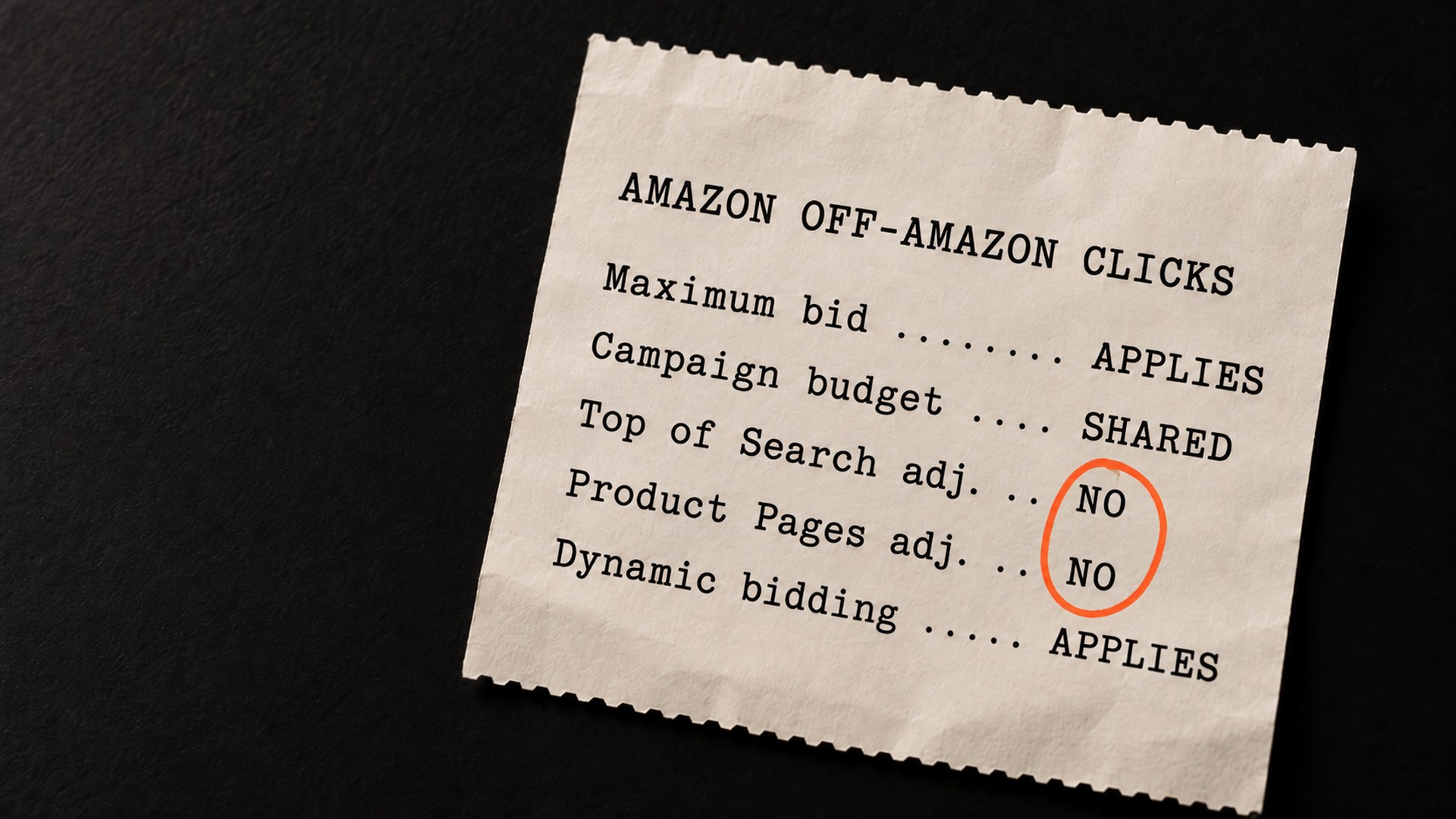
- The bid trap: your Top of Search, Rest of Search and Product Pages adjustments do not apply off Amazon. Your base bid does.
- The search term trap: some terms in your search term report were inferred by Amazon, not typed by a shopper.
- Which stores: Amazon lists 19 countries, including the United States, the United Kingdom, Germany, France, Italy, Spain and Canada.
A seller started a thread on the Seller Forums with the title "Warning: Check Your Sponsored Products Campaigns NOW". They had found that unless each campaign was switched by hand, "your ads will run on junk apps and sites where nobody is shopping." Another seller in the Seller Forums thread on off-Amazon Sponsored Products wrote that some of their auto campaigns went "from under 30% acos to over 100%". That was in 2025.
Since 10 August 2026, Amazon Sponsored Products off-Amazon serving has reached further, into creator content: product reviews, editorial content and buying guides. Your existing bids and budgets carry over, and nobody had to opt in. Going into Black Friday on 27 November 2026, that is ad money you may be spending in places your headline ACOS does not separate out.
Amazon's own support page, updated on 12 October 2026, now describes a setting that keeps a campaign on Amazon only. This guide covers where the spend shows up, how to read it, and how to decide campaign by campaign.
Why Amazon Sponsored Products off-Amazon spend happens
Amazon's support article, Understand Sponsored Products off-Amazon advertising, says your campaigns "can reach shoppers beyond Amazon, on premium sites, apps, and in creator content". It also says the ads run on the targeting, bid and budget you already set, with "no extra setup required".
Amazon describes three routes off Amazon:
- Third-party sites and apps: your ad is matched to a placement and submitted to the publisher, who decides which ads appear.
- Sites and apps with Amazon investment: Amazon may pick your product on factors like price competitiveness and reviews, and add its own marketing funds.
- Creator content: creators in the Amazon Influencer and Associates Program "with a track record of driving traffic or sales on Amazon can select your campaign to feature in their product reviews, editorial content, and buying guides."
The creator route is the newest. Trade coverage in August, including PPC Land's report on creator placements and Relevant Audience's summary of the 10 August change, reported that Amazon revised its support article on 4 August and that creator placements began on 10 August 2026, with existing campaigns enrolled at their current bids and budgets.
Amazon's page also explains why this spend is easy to miss. Your maximum bid applies to every click on or off Amazon, and every click counts toward the same campaign budget. So off-Amazon clicks draw on the same daily budget as the clicks you planned for, and when the budget runs out earlier in the day, it runs out for your on-Amazon placements too. That last point is our reading of how a shared budget works, and it matters most in campaigns that already cap out.
The setting names have moved, which is the annoying bit if you read about this in August. Coverage then called the options "Increase reach" and "Limit off-Amazon spend", and said the UK was not on Amazon's list. As of Amazon's page updated 12 October 2026, the options read differently and the UK is listed. Go by what your own console shows today.
How to know if this is costing you
Amazon's placement report help page says the Sponsored Products placement report "is the only source for reporting on off Amazon store metrics." Amazon's newer off-Amazon page, updated 12 October 2026, also lists the Ads API's Placement Classification metric and console reports with MRC-accredited filter settings. For most sellers, the placement report is the practical place to start.
The off-Amazon support page says the report sits under Campaign Manager, Measuring and Reporting. The seller who started the forum thread described pulling it as a Sponsored Products report with the Placements type, and finding an "Off Amazon" row next to Top of Search, Rest of Search and Product Pages. In their case, they wrote, the off-Amazon ads "returned exactly zero orders" over 90 days. That is one seller's account, not a rule, and the creator placements had not started then.
Read the Off Amazon row for spend, clicks, orders and ACOS, campaign by campaign. Three things change how you read that row:
- The 90-day window: the report looks back 90 days. To compare the weeks before 10 August with the weeks after, pull it before the end of October 2026. By our count, 1 August drops out of a 90-day window around 30 October, and the rest of that week follows in the first days of November.
- Creator storefronts on Amazon: Amazon says creator content off Amazon shows as Off Amazon, while a click through a creator's storefront on Amazon is reported in an on-Amazon row labelled Other. Read both rows before you judge creator traffic.
- The search term report: Amazon's search term report help page says the Customer Search Term column holds the term "used by the customer or inferred by Amazon in non-search contexts". Some odd terms in that report were never typed by a shopper.
What to check first
The order matters here, because the wrong first move can cut traffic you wanted to keep.
- Pull the placement report first. Before you change a setting, get the before and after picture while it still exists.
- Check your bid adjustments. If a campaign relies on a high Top of Search adjustment and a low base bid, the off-Amazon clicks are priced from the base bid, without the Top of Search adjustment. Amazon's page says "Bid adjustments for Top of Search, Rest of Search, and Product Pages do not apply to off-Amazon placements. Dynamic bidding and rule-based bidding still apply."
- Hold off on negatives for strange search terms. If a term looks like nothing a shopper would type, it may be one Amazon inferred for an off-Amazon click. A negative keyword works on the term itself, so by our reading it can also stop your ad showing to shoppers who do type it on Amazon. Ad Badger's analysis of creator placements warns about the same risk. Settle the placement setting first, then come back to negatives.
- Then look at the setting itself. The decision comes last, once you know what each campaign is spending off Amazon.
If you are already deep in the search term report, our guide to finding the bleeders with negative keywords covers how to read it. The inferred terms are the one exception to keep in mind while you do.
How the off-Amazon setting gets changed
Amazon's page gives the path as Campaigns, then the campaign, then Campaign settings, then Adjust reach on and off Amazon. There are two choices:
- Increase reach off-Amazon (default): "Delivers ads both on and off Amazon using your existing targeting settings, which can add impressions and sales opportunities."
- Limit reach to Amazon: "Ads appear only on Amazon owned-and-operated properties. This may reduce impressions and sales opportunities."
Amazon says you can change this at any point during a campaign, and that off-Amazon campaigns can also be managed in bulk with bulksheets. If you run fifty campaigns, the bulksheet is the faster route than clicking through each one.
My view is that this is a campaign-by-campaign decision, because the answer depends on the product. A campaign where the Off Amazon row converts at a cost you can live with has earned its reach. A campaign where it eats budget with no orders has not, and Limit reach to Amazon is the setting for it.
If one site, app or creator is the problem, you can block it and keep the rest. Amazon's page says that "to exclude specific sites, apps, or creators, update your deny list preferences."
On cost, Amazon's page says that for creator content you are charged only when a shopper clicks a creator's recommendation and is taken to a detail page or adds to cart, and that creators may receive a portion of the cost per click. So you pay for clicks that reached a detail page or added to cart, not for every view of a creator's post. Whether they buy depends on how well your listing converts cold traffic, which is a listing question as much as an ads one. Our guide on ads that get clicks but no sales covers that side.
One thing Amazon's page does not spell out is whether a creator's storefront on Amazon counts as an owned-and-operated property under Limit reach to Amazon. It reports that traffic as on-Amazon. If creator traffic is the part you want gone, check the Other row in the next report after you switch.
How to stop it creeping back
The setting belongs to the campaign, so every new campaign starts on the default. A campaign built for Black Friday next month will start on Increase reach off-Amazon unless someone changes it.
- Add it to your launch checklist: set the off-Amazon option on purpose in Campaign settings as soon as a campaign is created, the same as you would check the budget.
- Re-run the placement report weekly through Q4: a placement that looked fine in September can look different once holiday traffic arrives, and the weekly report is where you see it.
- Watch TACOS, not only ACOS: total ad spend against total sales shows whether the extra reach is adding sales or only cost. Our TACOS guide explains how to read it.
- Check the Prompts tab while you are there (US): Amazon's announcement on Sponsored Products and Sponsored Brands prompts says campaigns are "automatically enrolled" and, since general availability in the US on 25 March 2026, charged "as part of your CPC bidding and billing parameters". You can pause a prompt in the ad console, and there is a Prompts report.
If Amazon support ever becomes the route, there is a precedent in that same 2025 forum thread. Dougal from Amazon's community manager team wrote that "you can open a case with Ads Support and request to be removed from this." That was about off-Amazon serving in 2025. Nobody has confirmed it covers creator placements, and with a campaign setting now on Amazon's page, the setting is the first place to go.
For the wider picture of trimming spend before the holidays, our guide to cutting high ACoS without killing sales sits alongside this one.
Get your off-Amazon ad spend checked before Black Friday
I understand how this feels. You set bids for Amazon search, and some of that money went somewhere you never chose. The fix is mostly reading one report properly and making one decision per campaign, and that is the part we can do with you. We pull the placement report, show you what each campaign spends off Amazon and what it returns, and point out the inferred search terms before anyone negates them. Whether a placement earns its keep is your call once you can see it. Ask us to review your Sponsored Products placements, or see the rest of our Amazon services.
Common questions about Sponsored Products off-Amazon ads
Can I turn off off-Amazon ads for Sponsored Products?
Yes, campaign by campaign. Amazon's support page, updated 12 October 2026, puts the choice under Campaign settings, Adjust reach on and off Amazon. Limit reach to Amazon means ads appear only on Amazon owned-and-operated properties, and Amazon says this may reduce impressions and sales opportunities.
Where do I see how much I spend off Amazon?
In the Sponsored Products placement report, which Amazon's help page calls the only source for off-Amazon store metrics. Look for the Off Amazon row next to Top of Search, Rest of Search and Product Pages. The report looks back 90 days, and Amazon's newer off-Amazon page also lists the Ads API and console reports with MRC-accredited filters.
Do my Top of Search bid adjustments apply off Amazon?
No. Amazon says bid adjustments for Top of Search, Rest of Search and Product Pages do not apply to off-Amazon placements. Your maximum bid applies to every click, and dynamic bidding and rule-based bidding still apply.
Why are there strange terms in my search term report?
Amazon's search term report help page says the Customer Search Term column holds the term used by the customer or inferred by Amazon in non-search contexts, such as off-Amazon placements on social sites. A term nobody would type may be one of those, so check where it came from before you add it as a negative.
Which Amazon stores have off-Amazon Sponsored Products?
As of Amazon's page updated 12 October 2026, it is available for advertisers in 19 countries, including the United States, the United Kingdom, Canada, Germany, France, Italy, Spain and Mexico. Coverage in August 2026 said the UK was not on the list, so older articles may say otherwise.
Can I block one creator or website without switching off everything?
Amazon's page says you can exclude specific sites, apps or creators by updating your deny list preferences. That keeps the rest of the off-Amazon reach in place.
Sources
- Warning: Check Your Sponsored Products Campaigns NOW, Amazon Seller Forums (2025)sellercentral.amazon.com
- Understand Sponsored Products off-Amazon advertising, Amazon Ads support (updated 12 October 2026)advertising.amazon.com
- Placement report for Sponsored Products, Amazon Ads supportadvertising.amazon.com
- PPC Land, creator placements from 10 August (4 August 2026)ppc.land
- Relevant Audience, creator placements from 10 August (5 August 2026)relevantaudience.com
- Search term report for Sponsored Products, Amazon Ads supportadvertising.amazon.com
- Ad Badger, creator placements analysis (20 August 2026)adbadger.com
- Sponsored Products and Sponsored Brands prompts, Amazon Ads announcementadvertising.amazon.com
Founder, AVA INC.
Shilpi Dudani is the founder of AVA INC. Her team manages Seller Central accounts, fixes catalog problems and optimizes listings for Amazon sellers.
Not sure whether this is your problem?
We will look at your account and tell you what is actually wrong before you spend anything.
Get your free, no-obligation audit