Amazon deferred transactions: why Black Friday profit shows up late
Amazon typically holds order funds until 7 days after delivery, so payout-based profit lags sales. Where held money sits and how to read profit by date.

- 11 min read
- FBA & Operations
Fact-checked against Amazon's own pages on 27 Nov 2026
On this page
The short answer
- The rule: Amazon deferred transactions are sales proceeds Amazon holds back. On Amazon.com, Amazon typically reserves them until 7 days after an order is delivered (DD+7). Accounts that were not yet on it moved on 12 March 2026.
- Why profit looks low: settlement reports only carry money that has been paid out, so a tool built on them shows a Black Friday sale after it is released, often well into December.
- Why sales look fine: Business Reports date sales by order, so the weekend shows up as Black Friday sales.
- The fix: Amazon updated its Date Range Transaction report in 2026 (by 30 April for the US store) to include deferred transactions, dated by when they posted, with a deferred or released status. Read profit by posted date, and read when held cash lands from the estimated release date in the Transaction view.
- The habit: before cutting ads or a reorder in December, check which date the number you are looking at is counting.
In March 2026 a seller posted on the Amazon Seller Forums under the title "Deferred Transactions?????". They had shipped more than 100 orders, almost half their balance had moved into a column called deferred transactions, and they asked: "Did I just ship out a bunch of orders for free?"
They had not. Amazon deferred transactions are money customers have already paid, held until a set time after delivery. The same policy matters again this week, because deferred transactions also change when a sale shows up in your profit numbers, and Black Friday is today, 27 November 2026.
If the weekend goes well, your Business Reports will show it by the day it was ordered, while a profit dashboard built on payouts may make the same weekend look ordinary for a while. Both can be right at once. This guide explains why the two numbers split, where the held money sits, and how to read profit on two dates so a December decision about ads or stock is not made on a number that simply has not caught up yet.
Why Amazon deferred transactions make Black Friday profit look low
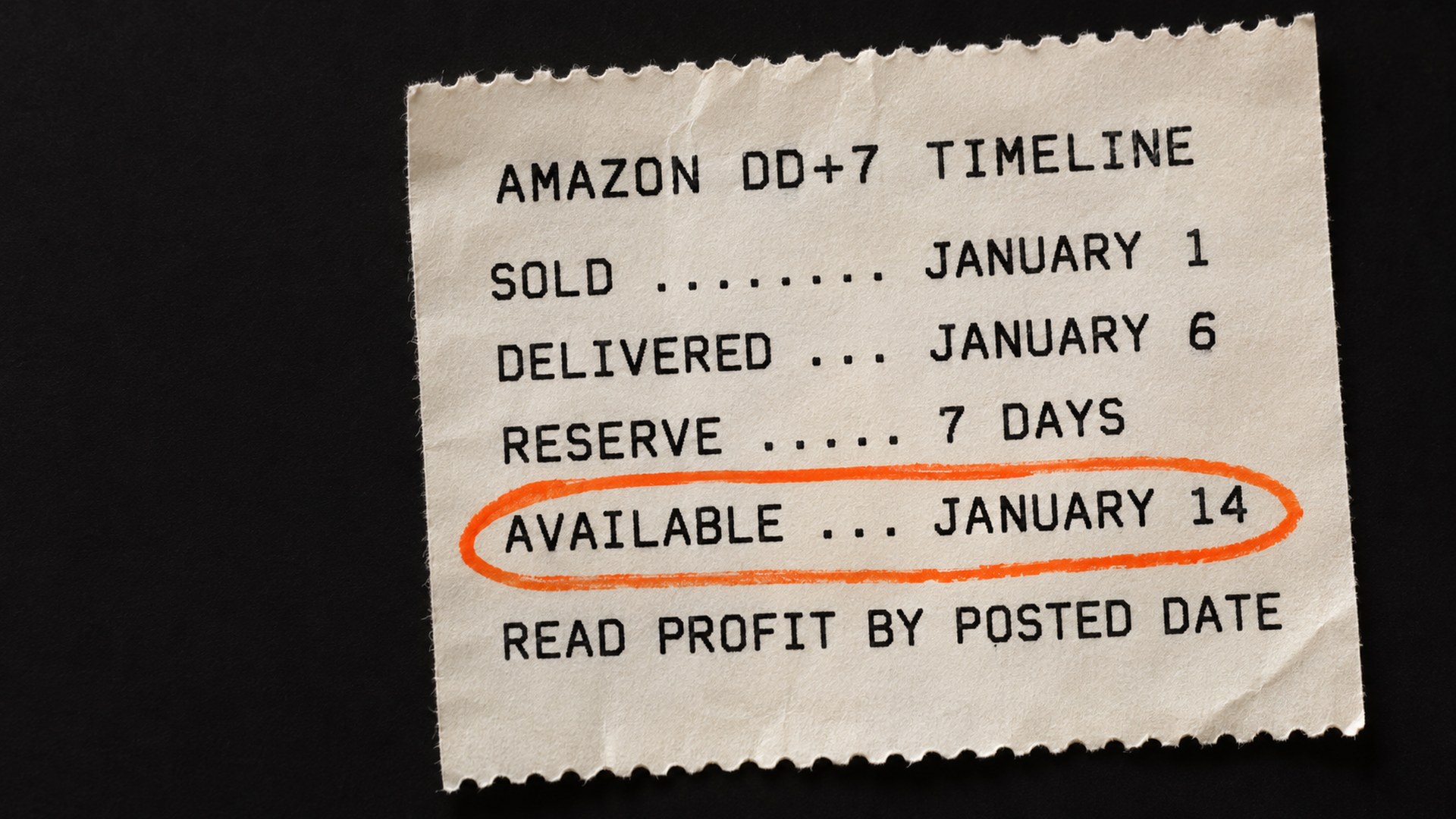
Amazon staff answered that forum post with the whole policy in three sentences. KJ_Amazon wrote that "Funds are reserved until a shipment is delivered, plus a reserve period." The standard reserve is 7 days after the delivery date, and the worked example is simple: sold on 1 January, delivered on 6 January, available for disbursement from 14 January.
The date it reached the remaining accounts came by email. Several sellers posted it word for word: "On March 12, 2026, in line with your feedback, we'll update your reserve settings to the standard reserve period of seven days after delivery date (DD+7)." The same email set out the order money moves in:
- At shipment: funds are collected and added to your deferred transaction amount.
- At delivery: the funds become a reserve, so the customer can receive and review the order and fees can accrue.
- Seven days later: the funds move into your account balance, ready for your settlement cycle or a disburse-on-demand request.
Nothing in that sequence is hidden. The trouble is that each report you look at picks a different point in it.
Business Reports count the order. The Sales dashboard in Business Reports tracks ordered product sales, and Seller Labs' guide to why its numbers differ from Seller Central describes Business Reports as order-date revenue. Black Friday orders land on Black Friday.
Settlement reports count the payout. When Amazon launched the deferred transactions page, its announcement said "only transactions which have been disbursed will be included in the Settlement reports." In 2026 an Amazon staff account still described settlement reports as the ones that "show you what's being paid out". A profit tool built on settlement data can only see a sale once DD+7 has released it and Amazon has paid it out.
Run Amazon's own example forward to see the size of it. An order placed on 27 November and delivered on 2 December would, on those example dates, become available from 10 December. Your best day of the year turns up in payout-based profit two weeks or more after it happened, and the gap only grows if delivery is slow. Amazon's email said as much: "This update will affect you more if you have longer periods between order and shipping or shipping and delivery."
So the dashboard is not wrong. It is late, and in the first half of December late looks a lot like bad.
How to know if your profit dashboard is reading payouts
A few signs give it away, and none of them need a spreadsheet.
- Sales and profit disagree only in the recent days: last month's totals roughly agree across your tools, but the last two weeks look thin in profit and healthy in Business Reports.
- The gap closes on its own: a week that looked weak in the profit view fills in a few days later without anything changing on the listing.
- Your deferred balance is large: the deferred transactions figure on the Payments dashboard is a big share of your total balance, which is normal straight after a peak.
- The tool says it uses settlement data: some profit tools say so in their help pages. Seller Labs states it plainly for its own product.
If two or more of those are true, treat the profit view for recent days as incomplete rather than as a verdict on the weekend.
What to check first: where deferred money sits
Amazon gives you three places to see the held money, and they answer slightly different questions.
The Payments dashboard: deferred transactions appear as their own amount in the total balance. Amazon's announcement of the change said that clicking that balance opens the Transaction view, which lists "the deferral reason, and the estimated payment release date for each order." That is the fastest answer to "when does this money arrive?"
The Deferred transaction report: a download from the Payments reports repository. It is a snapshot of what is held right now. Once a transaction is released it drops off this report, so it cannot tell you afterwards what was deferred last week.
The Transaction report: this is the one that changed in 2026, and it is the one that makes a two-date view possible. The next section covers it.
Two carve-outs are worth knowing before you read any of these. Amazon says you may still see an account-level reserve if an order has a claim or chargeback, or if your account is under review, so not every held dollar is DD+7. And invoiced orders, where a business buyer pays later, also appear on the deferred transactions page.
How to build a two-date view of Amazon profit
Amazon did most of the work here in 2026, when it changed the Transaction report.
Amazon's announcement said that by 30 April 2026 it would update the Date Range Transaction and Summary reports for the US, Canada, Mexico and Brazil stores, for "Sellers who are subject to delivery-date based reserve policies and can view deferred transactions on the Payments dashboard", with other stores to follow by 30 June 2026. An earlier email to sellers who receive a 1099-K put it this way: the reports "will be organized based on when transactions are posted to your account, rather than when they're released for payout." Because the reports include deferred transactions, you can reconcile what you earned in a period even if some of it is paid out later. Two columns were added: one shows whether a transaction is deferred or released, and a Transaction release date shows when it was released. For a transaction that is still deferred, Amazon says, the release date field is blank.
So the Transaction report tells you what you earned, and the Transaction view tells you when the held part arrives. The order we follow is:
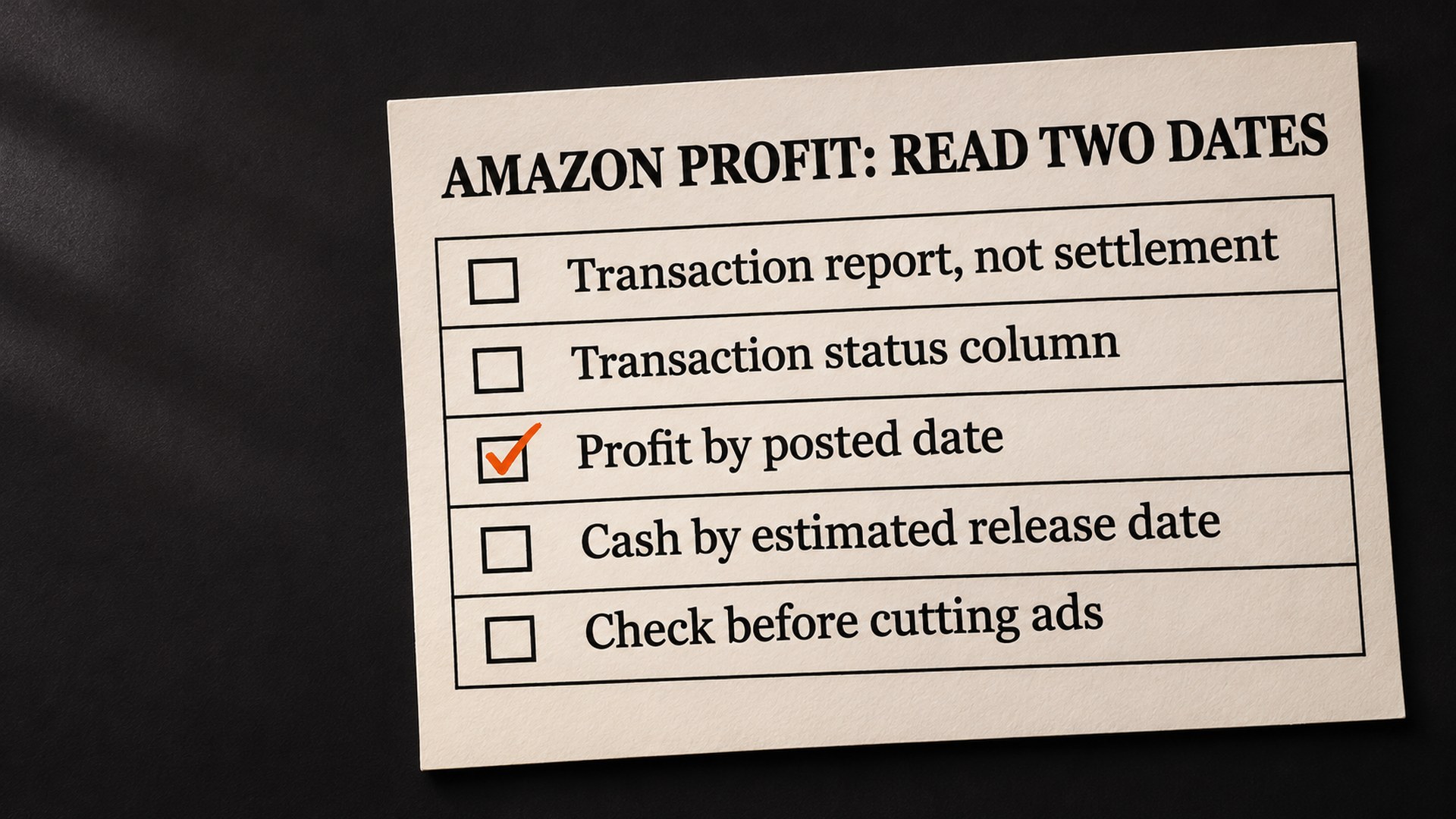
- Pull the Transaction report, not the settlement report: from Payments, Reports Repository, with Account type set to All (unified reports), for the period you care about. If your menus look different, type Reports Repository into the search bar.
- Read profit by posted date: sales, fees and refunds by the date they posted tell you what the weekend actually earned, deferred or not. This is the number for decisions about ads, price and stock.
- Read cash by the estimated release date: for money already released, the Transaction release date shows when it landed. For money still deferred that column is blank, so take the estimated payment release date for each order from the Transaction view, which opens when you click the deferred balance on the Payments dashboard. That is the number for paying suppliers.
- Keep Business Reports for demand: ordered sales are still the quickest read on how the weekend sold, before any fees.
- Ask your profit tool which date it uses: if it reads settlement data, label its recent days as incomplete, or switch the view to posted date if the tool offers it.
One caution from the forums. Amazon said the change applies to reports starting 1 January 2025 or later, and a seller on a forum thread about the change worried about the rules changing midway through their books. If you compare a report pulled before the change with one pulled after, check the dates were counted the same way. Questions about how this affects tax filings belong with your accountant; this guide stays on the reporting side.
What not to decide until the gap closes
A late number only costs money when someone acts on it.
- Cutting ad budgets: if December profit looks thin only in a payout-based view, check posted-date profit before pulling spend. Our guide to TACOS explains why ad spend should be judged against total sales, and that total is the order-date or posted-date figure.
- Comparing ad sales across tools: Kapoq's guide to Amazon sales metrics notes that ad sales are attributed to the day the ad was clicked, not the day the item was bought or shipped, so ad reports and sales reports will disagree for a while after a busy weekend. Compare like with like.
- Delaying a reorder: a reorder is a demand decision, so it should rest on units ordered, not on cash released. Cash timing decides how you pay for it, not whether you need it. This is the part of inventory management that Q4 tests hardest.
- Calling a deal a failure: if you ran a Black Friday deal, judge it on posted sales and the full fee stack in our guide to whether an Amazon Black Friday deal is profitable, not on what has reached your bank.
Checking the date first costs a few minutes. Undoing a budget cut made on a late number can cost a lot more.
How to stop it catching you again
DD+7 is now the standard reserve on Amazon.com, so the fix is a habit rather than a one-off.
- Label every number with its date: order date, posted date or release date, written on the dashboard itself. A lot of the confusion between tools comes from three dates sharing one word, "sales".
- Plan January cash from release dates: supplier payments due in January should be planned against when Q4 money is released, not against December's order totals.
- Re-check after any reporting change: Amazon changed how deferred transactions are reported in 2024 and again in 2026. Our post on the Amazon store attribution change is another case of a number moving because the counting changed, not the business.
- Watch delivery times in peak: since the reserve starts at delivery, slower delivery means later money, which is worth knowing when you set January stock budgets.
Frustrating as DD+7 is for cash flow, it is predictable. Every DD+7 deferral has an estimated release date in the Transaction view; an account-level reserve does not.
Get your Q4 numbers read on the right dates
I understand how unnerving a half-empty profit dashboard feels in the week after your biggest weekend, especially when you are deciding on January stock. If you would like a second pair of eyes on the account, a good first step is our free Amazon audit of one of your listings. For sellers who want more than that, setting up weekly reporting that keeps order, posted and release dates apart is part of the account work we do, so a December decision rests on the right number.
Common questions about Amazon deferred transactions
What are deferred transactions on Amazon?
They are payments customers have already made that Amazon is holding before releasing them to your balance. On Amazon.com Amazon typically reserves sales proceeds until 7 days after delivery, so a sale delivered on 6 January becomes available from 14 January in Amazon's own example. Invoiced orders also appear on the deferred transactions page.
When did Amazon move sellers to DD+7?
Amazon emailed sellers who were not yet on it that their reserve settings would move to delivery date plus 7 days on 12 March 2026. The same email said most Amazon sellers worldwide already used DD+7.
Why does my Amazon profit not match my Business Reports?
Business Reports track ordered product sales, so a sale shows up when it is ordered. Settlement reports only include money that has been paid out, so a profit tool built on settlement data shows the same sale only after the DD+7 reserve releases it. After a busy weekend that can leave the profit view well behind your sales for a while.
Where can I see when my deferred funds will be released?
Click the deferred transactions amount on the Payments dashboard to open the Transaction view, which lists each order with its deferral reason and estimated payment release date. The updated Date Range Transaction report shows whether each transaction is deferred or released, but its release date field stays blank until the money is released.
Does DD+7 replace the account-level reserve?
Not entirely. Amazon says you may still see an account-level reserve if an order has a claim or chargeback, or if your account is under review, so not every held amount is a DD+7 deferral.
Sources
- Deferred Transactions?????, Seller Forums thread with Amazon staff reply (US, 2026)sellercentral.amazon.com
- DD+7 March 12, 2026, Seller Forums thread quoting Amazon's email (US)sellercentral.amazon.com
- View your reserved payments in the new Deferred Transactions report, Amazon announcement (US)sellercentral.amazon.com
- Why Seller Central and Seller Labs numbers can differ, Seller Labs (third party, updated 12 August 2026)sellerlabs.com
- New Payments report page launched for deferred transactions, Amazon announcement (US)sellercentral.amazon.com
- Understanding Payment Date Range Reports, Amazon staff guide on Seller Forums (US, 2026)sellercentral.amazon.com
- Updated payment reports simplify accrual reporting for delivery date-based reserves, Amazon announcement (US, Canada, Mexico, Brazil, 2026)sellercentral.amazon.com
- 2026 Summary and Transaction Report Changes, Seller Forums thread quoting Amazon's email (US)sellercentral.amazon.com
- Amazon sales metrics simplified, Kapoq help center (third party)intercom.help
Founder, AVA INC.
Shilpi Dudani is the founder of AVA INC. Her team manages Seller Central accounts, fixes catalog problems and optimizes listings for Amazon sellers.
Not sure whether this is your problem?
We will look at your account and tell you what is actually wrong before you spend anything.
Get your free, no-obligation audit