Amazon Brand Store rejected for Prime Day wording: what to change
Amazon's Brand Store guide lists calling out events like Prime Day as a policy error. Where that wording hides and the approved copy to use, November 2026.

- 9 min read
- Catalog & Brand
Fact-checked against Amazon's own pages on 21 Nov 2026
On this page
The short answer
- The Prime Day rule: if your Amazon Brand Store was rejected, start here. Amazon’s Brand Store guide says not to call out Amazon’s high-traffic events, with “Prime Day Brand Store” as its example.
- Imagery counts: the same guide says not to use elements too similar to Amazon-owned ones, and it names Amazon major event branding.
- Prices and percentages: Amazon lists “Save 50% on Product” and “$20 off Product” as copy that is not allowed, and says promotional messaging belongs with the Featured Deals widget.
- Replace, do not delete: Amazon publishes approved copy such as “Explore our savings/discounts”, so a Store does not have to go quiet.
- Timing: Amazon asks you to submit a scheduled version at least 48 hours before its start date and says it cannot be scheduled within 24 hours, and none of Amazon’s guides I could open gives a review time.
Amazon’s own guide to Brand Stores lists a mistake by its exact wording: “Don’t call out Amazon’s high-traffic events, such as ‘Prime Day Brand Store.’” That is an Amazon Brand Store rejected for Prime Day wording in one line, and it is why a Store with a tab named after Amazon’s event can fail review. Amazon’s deal events started at 12:01 a.m. PST on 19 November and run through 30 November 2026, so wording on a Store matters now.
A Store has a lot of places for words: page names, tabs, tiles, collection titles and images. Amazon’s rules apply to what you put in them, so the practical job is knowing where every phrase lives.
This guide goes through those places in the order a reviewer would meet them, using Amazon’s published wording, so you can find the phrase before moderation does.
Why does Amazon reject a Brand Store for Prime Day wording?
A Brand Store goes through moderation before changes go live. Amazon’s guide says to wait for moderation to approve your Store and the changes, and it lists some common policy errors. Nothing in the guides says moderation stops at the headline, so it is safer to assume every page, tile and image is read.
Three of those rules matter most this week, and Amazon prints all three in its guide to preparing a Brand Store for key shopping events:
- Event names: don’t call out Amazon’s high-traffic events.
- Look-alike elements: don’t use elements “too similar or the same as Amazon-owned elements, such as star ratings, color palettes, or Amazon major event branding.”
- Discounts: don’t call out numerical discounts or any percentages, such as “save 25% on razors.”
There is a newer layer on top. PPC Land reported on 14 November 2026 that an Amazon Ads support article on peak-event Brand Store content was updated on 13 November, and that it rejects a Store that references Prime Day or other Amazon trademarks, including in images, without exceptions. I could not open Amazon’s own article, because it has no public address I could find. So treat that as a report, not as Amazon’s wording, and build your check on the Amazon guides linked here, which I did read.
How do you know your Amazon Brand Store has wording Amazon will reject?
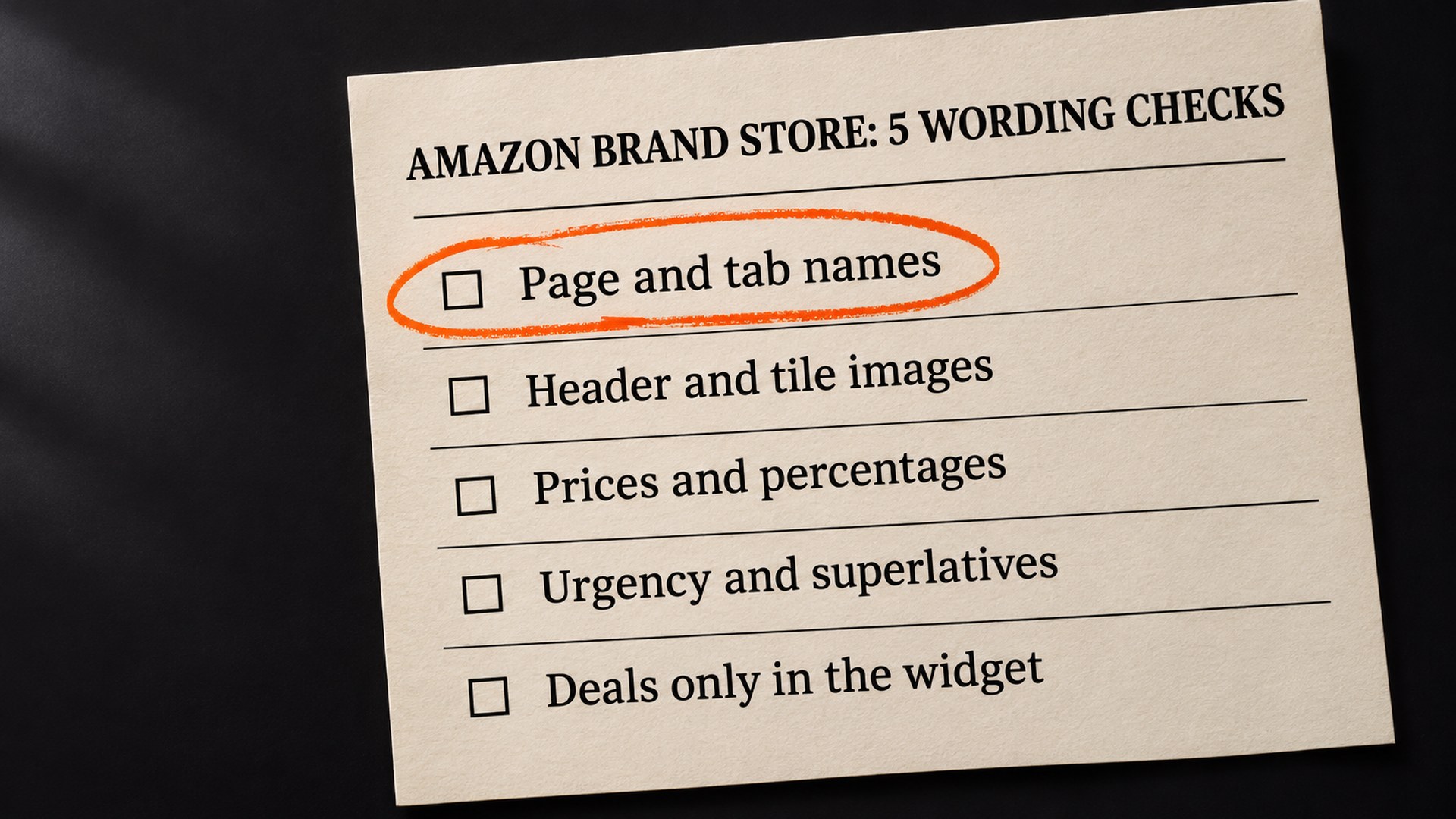
You know by reading the Store the way a reviewer does, one place at a time. Words hide in more places than most people expect. The places worth opening are these:
- Page names and navigation tabs: a tab called “Prime Day Deals” is the clearest case of calling out an Amazon event. When you advertise deals messaging, Amazon says the Store or page must be “appropriately titled.”
- The header and the category tiles: Amazon says to use product shots in the header and in the tiles leading to the deals page only for ASINs with an active promotion during the event.
- Product collection titles: Amazon’s product collections guide says a collection title must not include messaging about deals, discounts or savings, such as “today only,” “hurry,” “20% off,” or references related to “Amazon deals.” It also rules out “Best seller,” “Exclusives” and “Top rated” in a title.
- Text inside images: a banner that was designed in an editing tool and uploaded as a picture. Amazon’s guides do not say whether words inside an image are read differently from typed words. Reading them the same way costs you nothing, and PPC Land reports that Amazon does.
- Old event content: an earlier event’s banner that was never removed from a page nobody opens.
The one that catches people out is the last, in my reading. An old event tile on a page nobody opens is still part of the Store you submit, and nothing in Amazon’s guides says it is skipped.
What to check first on your Amazon Brand Store
Start with the cheapest place and finish with the most work. The order below is AVA INC. reasoning, not a rule from Amazon:
- Page and tab names. Open the Store builder and read every page name in the navigation. Any that name an Amazon event are first to change.
- Header image. Look for Amazon major event branding, Amazon’s colour palette and star ratings, the three Amazon-owned elements the guide names. Then check that every product shown has an active promotion.
- Category tiles. These have the same ASIN rule as the header.
- Collection titles and tile text. Read them for percentages, dollar amounts, urgency and superlatives.
- Images with words in them. Open each uploaded banner at full size and read it.
- The deals page structure. Check where the Featured Deals widget sits. The widget rules are covered in our guide to the Brand Store deals page, so this guide keeps to wording.
Write down every phrase you find and where it lives. A list of phrases is what makes the next step quick, and it is what you will want if a second review comes back.
How the Amazon Brand Store wording gets fixed
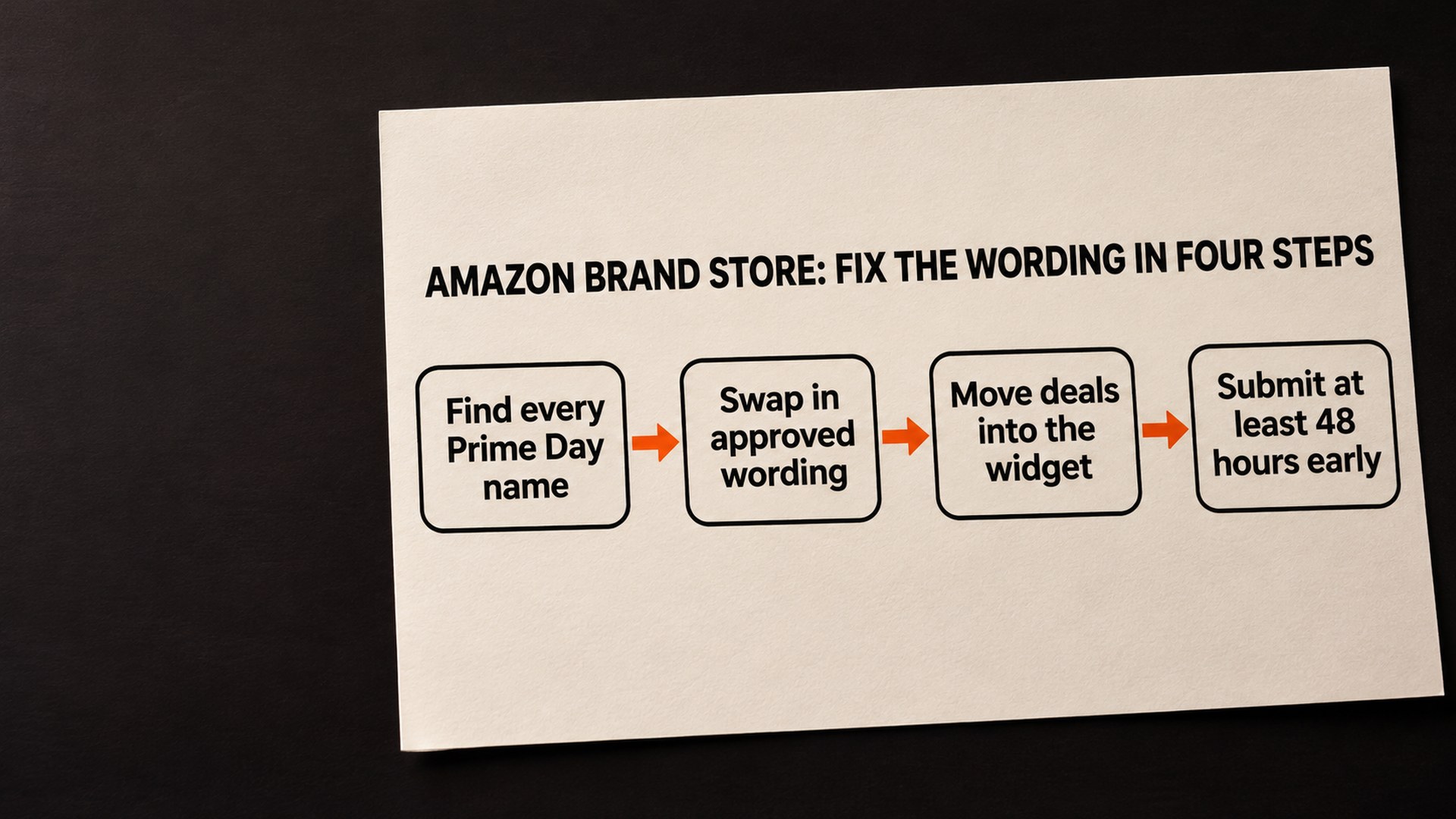
The fix is a swap, not a clean sweep. Amazon’s Black Friday and Cyber Monday advertising guide lists what is not allowed and what is approved, and the table below sets Amazon’s own examples side by side. Amazon calls its list “includes”, so it is a set of examples and not a complete list.
| What the guide says is not allowed | An example from Amazon’s guide |
|---|---|
| Urgency or a time limit | “Today only”, “Hurry” |
| A specific price or saving | “Save 50% on Product”, “$20 off Product” |
| A price claim that is competitive, misleading or cannot be proven | “Best possible price”, “Unbeatable price”, “Price advantage” |
| A superlative | “Save big”, “Huge savings”, “Incredible price” |
| “Free” when the offer is not open to all customers | The word “free” or similar, without every eligibility condition |
For what to write instead, Amazon’s approved copy includes “Explore our savings/discounts”, “Great savings/discounts”, “[Brand Name] or [Product Name] savings/discounts”, Holiday/Season special and Great bundles on products. So a tab that said “Prime Day Deals” can take a name built from those. Even this copy is promotional messaging, so Amazon’s widget rule below still applies to it.
Then the numbers have to live somewhere. Amazon says promotional messaging in a Brand Store “is only permitted when used with the Featured Deals widget (FDW).” The widget only shows products that have an active promotion, so the deal itself does not need to be hand-written into a tile. Two related rules are worth knowing. The banner that separates the widget from other sections cannot use the word “offer”, “as it would be misleading”. And the text tile between the widget and a product grid must indicate that the products below are not deals.
Last comes timing. Amazon says a Brand Store “cannot be scheduled within 24 hours of the intended start date” and asks you to submit it “at least 48 hours ahead of the scheduled start date.” Counting forward, Amazon’s 48-hour request means a version submitted on 21 November should not start before 23 November (our arithmetic, not Amazon’s). Amazon also says sales events should start no more than seven days before the event and be removed or updated within 24 hours of the event date, unless the event lasts longer, as Cyber Week does.
None of the Amazon guides I could open gives a review time, PPC Land reports that the Amazon support article I could not open does give one. I have left that figure out because I could not check it. Leave margin. Amazon’s guides also describe a scheduling and versioning tool, which lets you plan the version of your Store that is live during a key event, and it is the cleaner way to keep event content out of your permanent Store.
How to stop an Amazon Brand Store rejection happening again
Event wording that sits in the permanent Store has to be found again at every event. Keeping it out of the permanent Store removes the need to hunt for it.
The pattern that prevents it is to keep the permanent Store free of event names and prices, and put anything tied to an event into a separate scheduled version that ends on its own. That is AVA INC. advice, built on Amazon’s versioning tool.
Two habits help. Read the Store on a phone with the same eyes, because the images are what shoppers see first. And re-read Amazon’s guides before each event, because the dates in the Black Friday guide carry no year. Amazon’s key events guide is the page to reopen first.
If the Store is also where your Sponsored Brands ads land, it is worth looking at the live Store once a day through the event. Related: the Black Friday deal deadline and the price check covers the deal side, and making a Black Friday deal profitable covers the numbers behind it.
Get your Brand Store wording checked before Black Friday Week ends
If you would rather not read every tile yourself, our Brand Store service covers the copy and Amazon’s compliance rules, and reading every page, tab, tile and image against Amazon’s published wording is the kind of check it involves. We cannot promise how Amazon’s moderation will rule on any Store. The free audit is where to start, and you can tell us about the Store when you ask.
Common questions about an Amazon Brand Store rejected for wording
Why was my Amazon Brand Store rejected for Prime Day wording?
Amazon's guide to preparing a Brand Store for key events lists calling out Amazon's high-traffic events as a policy error, with “Prime Day Brand Store” as its example. It does not say which line caused your rejection, so read every page name, tab, tile, collection title and image for an event name.
What can I write instead of Prime Day deals on a Brand Store?
Amazon's Black Friday and Cyber Monday guide gives approved copy that includes “Explore our savings/discounts”, “Great savings/discounts”, “[Brand Name] or [Product Name] savings/discounts”, Holiday/Season special and Great bundles on products. Amazon introduces both its approved and not-allowed lists with the word “includes”, so they are examples, not complete lists.
Can I put a percentage or a dollar amount off on my Brand Store?
Amazon's guide lists specific numerical pricing promotions, such as “Save 50% on Product” or “$20 off Product”, as copy that is not allowed. It adds that promotional messaging in a Brand Store is only permitted when used with the Featured Deals widget.
How long does Brand Store moderation take?
None of Amazon's Brand Store guides that we could open gives a review time. PPC Land reports that an Amazon support article we could not open does, so we leave the figure out. For a scheduled Store version, Amazon's guide asks you to submit at least 48 hours ahead of the scheduled start date and says it cannot be scheduled within 24 hours.
Does wording inside an image count?
Amazon's guides do not say whether words inside an image are read differently from typed text. PPC Land reported on 14 November 2026 that an Amazon support article treats Prime Day wording in images the same way, but we could not open that article. Reading banners as if they count costs you nothing.
Sources
- Seven steps to prepare your Brand Store for key shopping events, Amazon Ads guideadvertising.amazon.com
- Black Friday and Cyber Monday 2026 announcement, About Amazonaboutamazon.com
- Black Friday and Cyber Monday advertising guide, Amazon Adsadvertising.amazon.com
- Amazon Brand Stores face rejection over Prime Day wording, PPC Land, 14 November 2026 (third party, single source)ppc.land
- Product collections on Stores, Amazon Ads guideadvertising.amazon.com
Founder, AVA INC.
Shilpi Dudani is the founder of AVA INC. Her team manages Seller Central accounts, fixes catalog problems and optimizes listings for Amazon sellers.
Not sure whether this is your problem?
We will look at your account and tell you what is actually wrong before you spend anything.
Get your free, no-obligation audit