Amazon test request form (TRF): why the in progress status matters
Amazon's help page ties listing protection to a TRF that reads in progress, a status the lab sets. What bulk TRF filing changed in 2026 and what to check.

- 12 min read
- Account Health
Fact-checked against Amazon's own pages on 2 Nov 2026
On this page
The short answer
- What a TRF is: the test request form you create in Account Health when Amazon asks for third-party testing, inspection and certification (TIC) of an ASIN. An authorized provider then tests the product or reviews your existing documents and sends the result to Amazon.
- What changed in 2026: from 24 July 2026, Amazon says you can submit TRFs in bulk for flagged products within a policy, and see their status across stores in one region on a single dashboard.
- What did not change: who does the work. The provider still tests or reviews, and shares the result with Amazon for approval.
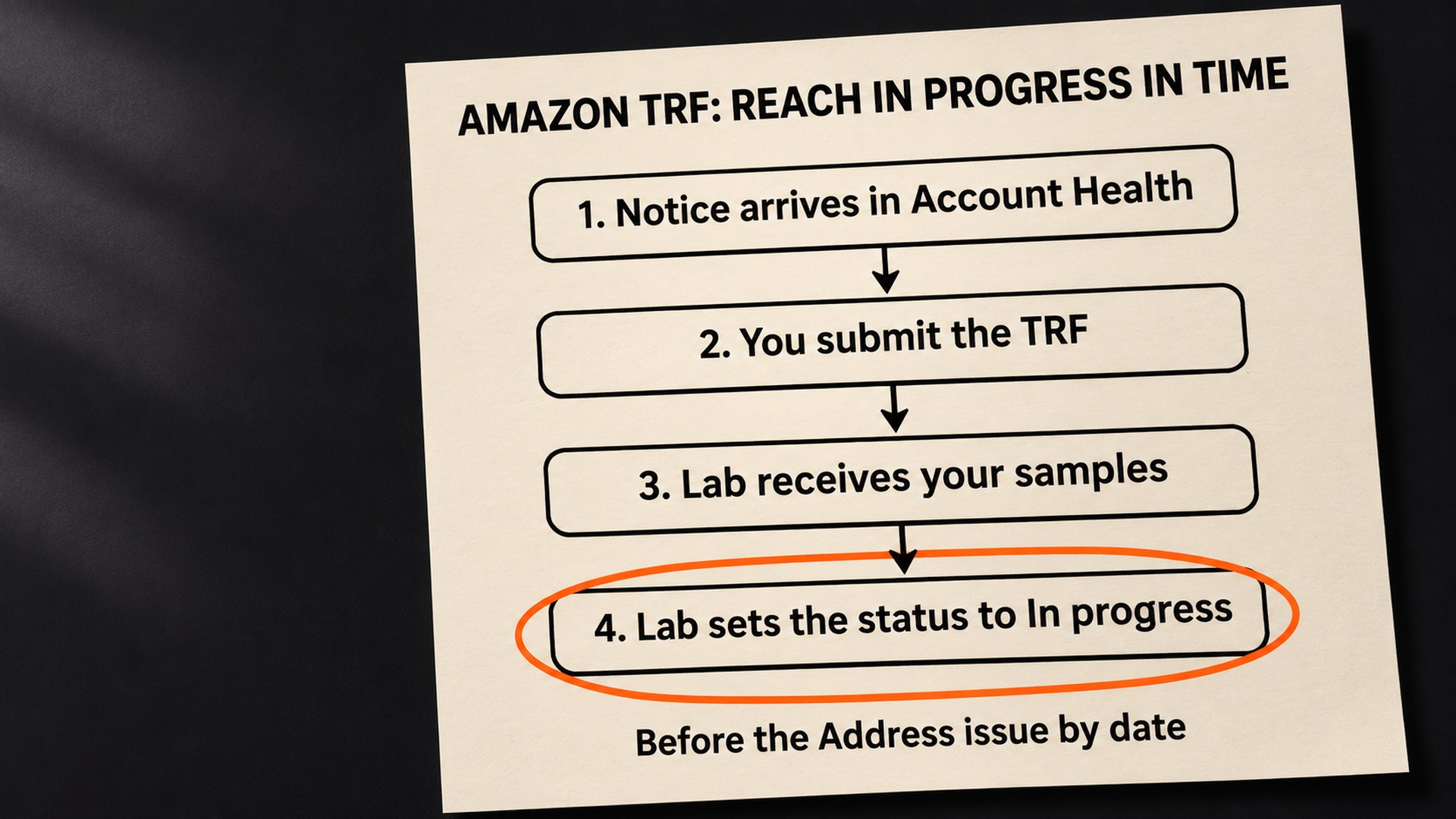
- The status that protects you: listings are not deactivated while the TRF reads “in progress”, and it is the provider that sets that status when it receives your submission.
- The risk: if the lab has not updated the status before the Address issue by date, a US seller reports listings were removed anyway, and an Amazon forum moderator said they stay down until the TIC approves the TRF.
- The order of work: earliest Address issue by date first, then the highest-revenue ASINs, samples to the lab early, and a check that the status really reads “in progress” before the date passes.
Under Amazon’s own announcement of bulk test request forms in the US Seller Forums, a seller posted a reply that is worth reading before you file anything. Their products all had TRF IDs, they were being tested at an Amazon-approved lab, and, by their account, Amazon had shut them down anyway: “testing is STILL ONGOING and has not been failed/accepted.” Their post does not say what status the TRFs showed, and the Amazon moderator who answered said the announcement thread was not the place to discuss those products.
Amazon’s help page ties the protection to one status, not to the testing itself. In its words, “While your TRF status is "in progress," your listings will not be deactivated.” The sentence just before it says how that status gets set: “This allows the TIC service provider to update your TRF status to “in progress” when they receive your submission.”
So the protection Amazon describes for an Amazon test request form depends on a status the lab sets when it receives your samples or documents, and not on the form you file. This guide covers what changed with bulk filing, why a filed TRF can still end in a deactivated ASIN, and the order to work through flagged products before Black Friday.
Why Amazon asks for a test request form
For the products on Amazon’s list, you no longer send compliance documents to Amazon yourself. Amazon’s direct product validation help page says you must work with an authorized TIC provider to verify every notified ASIN, and adds: “You will no longer submit documents directly to Amazon. Instead, the TIC provider will submit them on your behalf.”
The page gives two routes, and the one you take depends on what you already hold.
- You have test reports already: you send them to an authorized provider, which reviews them against Amazon’s policy. In the Seller Central flow this is the option called Validate.
- You have nothing, or the reports are not good enough: you send the product itself and the provider tests it. This is the option called Test.
- You used another lab: Amazon allows other accredited labs, but if the lab is not authorized by Amazon, an authorized TIC provider has to validate its results.
The products covered are listed in a table on that page, and it is a long one. It includes children’s toys, children’s jewelry, dietary supplements, lithium-ion batteries, portable power supplies, e-mobility devices, laser products, mattresses, pressure washers and smoke and carbon gas alarms, among others. Amazon says requirements vary by store and by policy, that its provider list is updated monthly, and that a product may also need to meet other requirements beyond food and product safety.
You cannot start this on your own initiative. The help page is clear: “You can only submit a test request form (TRF) after you receive a document request email notification from Amazon in Account Health.” Amazon also says your products may be selected for periodic testing or inspection at any time, and may be randomly selected for surveillance testing, so a product that has sold quietly for years can still receive a notice.
What bulk TRF submission changed, and what it did not
On the US Seller Forums, Amazon’s announcement, Save time with bulk TRF submission, starts with the change itself: “Effective July 24, 2026, you can submit test request forms (TRFs) in bulk and have visibility across multiple stores in one region under the same policy requirements.”
Before that, as Amazon puts it, “Previously, you could only submit one TRF at a time for each ASIN and per store.” The update brought three things:
- Bulk submission: test requests for several flagged products within one policy, in one go.
- Cross-store visibility: the status of every test request across your stores, without switching between them.
- A central dashboard: filters for ASIN, TRF ID, Order ID, status, store and provider.
Amazon describes bulk submission as working within a policy, so I would expect a supplement and a lithium battery to go through separate requests. The announcement’s opening line also describes the cross-store visibility as covering stores in one region.
The help page adds one more saving. If the same ASIN sits in several stores under the same product safety requirement, you submit one TRF, and Amazon says the results apply to that ASIN in every store with that requirement.
The announcement is about filing and tracking. It says nothing about how long a lab takes, which products need testing, or how a listing is treated while the test runs.
How to know if your listing is at risk
The listing that worries me most is the one where the seller has done their part and believes they are covered. A US Seller Forums thread on lithium-ion battery testing shows exactly how that goes wrong.
The seller generated TRF IDs, sent them to an Amazon-approved lab and paid in full, all before the deadline. Then, in their words: “However, the lab failed to update our listing statuses to "In Progress" in Amazon's system before the deadlines passed. As a result, several of our listings were removed.”
Once the status did read In Progress, the listings did not come back. An Amazon moderator replied in the thread: “Since the status had not been updated prior to the review period ending the listing were already removed, thus cannot be reinstated until they receive approval at this time.” The same reply says that once the TIC approves the TRF, the ASINs will be reinstated automatically and go live.
That is one case, and Amazon’s reply was about that case. It fits the help page, though, which ties the protection to the status the provider sets and the deadline to the Address issue by date. Your listing is at risk if any of these is true:
- The status does not read in progress yet: the form exists, but the lab has not marked your submission as received.
- Samples are still in transit: the provider cannot update the status for a submission it has not received.
- The Address issue by date is close: the gap between shipping samples and the lab logging them is the part you control least.
- The ASIN shows no TRF option: Amazon says to submit an appeal in that case, and it will assign the ASIN to the correct workflow.
What to check first on every flagged ASIN
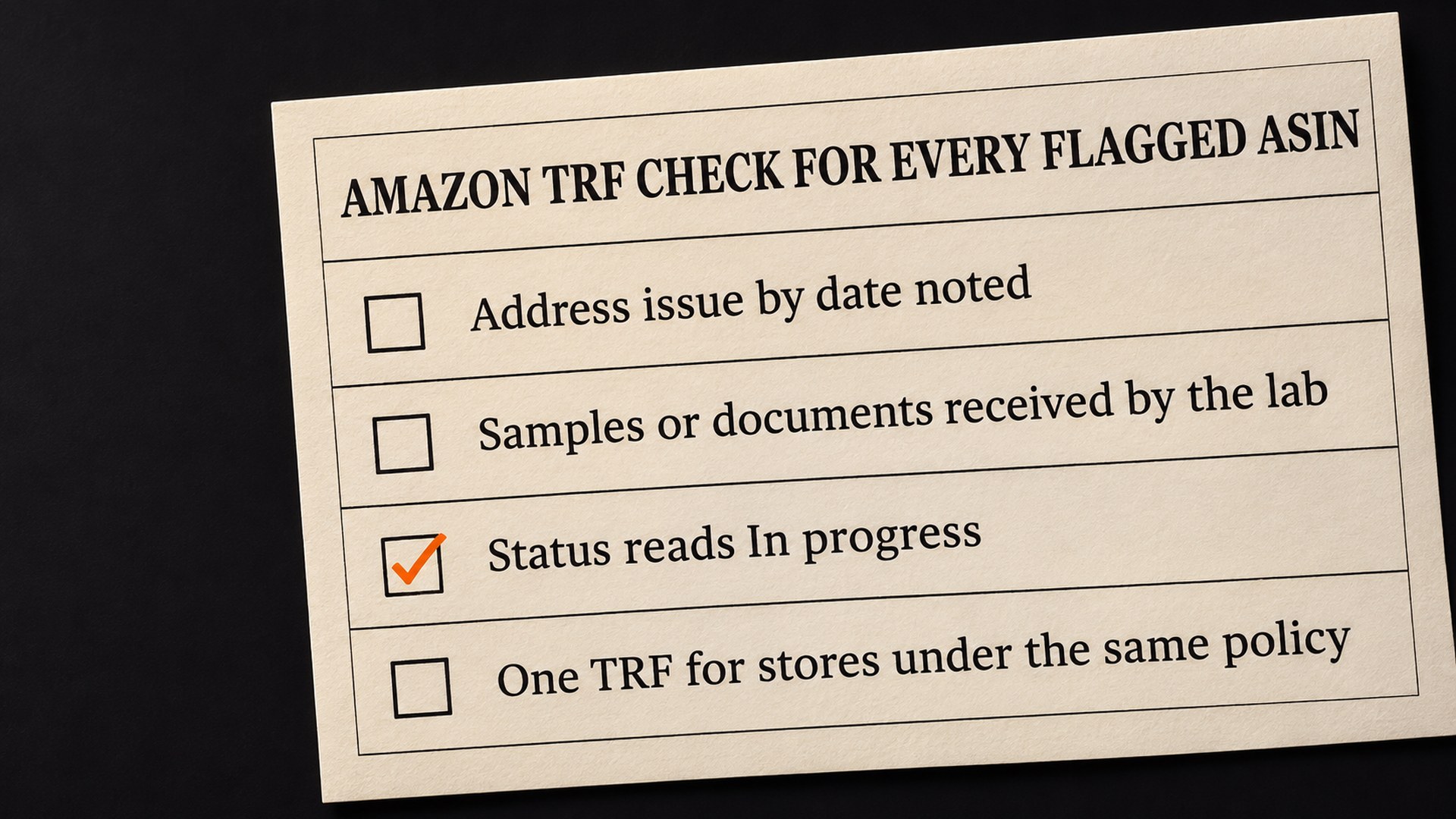
Everything starts in the same place. Amazon’s path is Account Health, then Food and product safety issues under Policy compliance, then Submit in the Next steps column, then Verify your product. From there, View all orders shows every request with its Order ID.
When the list is long, the order matters more than speed, and this is the sequence I would use.
- Write down every Address issue by date: Amazon’s help page sets the work against that date, not the date you filed.
- Then rank by what they earn over the holidays: among ASINs with similar dates, a hero product with a Black Friday deal booked goes first.
- Group them by policy: bulk submission works within a policy, so it makes sense to batch supplements, toys and batteries separately.
- Decide Test or Validate for each one: if you already hold reports, the Validate route starts from those documents rather than from a shipment of samples. Whether the reports are enough is for the provider to review, and the result still goes to Amazon for approval.
- Get the samples or documents to the lab early: Amazon says the provider updates the status to in progress when it receives them.
- Check the status yourself: in the battery thread, the seller says the lab already had the samples and the status still had not changed in time. Open the dashboard and confirm it reads in progress before the date passes.
How a stuck or failed TRF gets handled
- The test or review fails: the help page says “If your product fails testing or documents fail validation, your products will be deactivated immediately.” The page adds that the listing stays deactivated until you send compliant documents to Amazon, and in this workflow the provider is the one that submits documents for you.
- The status was late and the listing came down: the moderator’s reply in the battery thread says those listings cannot be reinstated until the TIC approves the TRF, and then go live automatically. The seller also reports that Account Health had acknowledged in writing that the lab caused the removal, and a secondary review still found the enforcement correct. In that situation, the practical work is getting the provider to finish the test.
- You believe the product should not need testing at all: the same Account Health screen has Appeal request, with a reason from a drop-down and a comment box. In my view an appeal is worth filing only when you can say why the requirement does not fit the product, because repeating that you are compliant gives the reviewer nothing new.
If a compliance document was rejected rather than a test, the fix is different again, and our guide to a rejected Amazon compliance document goes through it. For listings removed under a restricted product policy you think was applied wrongly, see how to appeal a restricted product policy violation.
I understand how this feels when you did everything on time and the lab is the one running late. Amazon’s help page also says, as a general rule: “Each selling partner is responsible for their own product compliance.”
How to stop TRF deadlines catching you in Q4
- Read Account Health often, not when sales dip: TRF notices arrive there, and Amazon’s own advice is to start compliance work as soon as you receive one. Every day between the notice and your first action comes out of the time the lab has. Our guide to clearing Amazon policy warnings covers the habit.
- Keep current reports for regulated products on file: a seller who can choose Validate with documents in hand skips the step of shipping samples.
- Know which providers cover your products: Amazon’s help page lists authorized providers by product and store, and its quote screen groups products by lab to reduce testing costs. Comparing them is easier before a deadline is running.
- Treat a new store as a new check: requirements vary by store and by policy, so a product cleared in one region may still get a notice in another.
None of this can make sure a listing stays live. Amazon can still deactivate on a failed test, and the seller reply under the bulk TRF announcement describes listings coming down while testing was still running. What it does is get the TRF filed and the samples or documents with the lab before the date, with the status checked rather than assumed.
Get your flagged ASINs checked before Black Friday
When a notice lands in Account Health, the work is in reading which policy it names, which products it covers, and which date applies, then getting each TRF to in progress in the right order. That is what our account health management team helps brands with. We cannot make a lab test faster or promise Amazon’s decision. We can go through your open notices with you and tell you plainly which listing is closest to its date.
If you want a first step with no call, our free audit gives you a written review of one listing. For the notices in Account Health, get in touch through the account health management page and we will look at them with you.
Common questions about the Amazon test request form
What is an Amazon test request form (TRF)
It is the form you create in Account Health when Amazon asks for third-party testing, inspection and certification of an ASIN. You pick an authorized TIC provider, share the TRF details with it, and the provider tests the product or reviews your existing documents. The provider then sends the result to Amazon, because under direct product validation you no longer submit those documents to Amazon yourself.
Can I submit Amazon TRFs in bulk
Yes. Amazon announced that from 24 July 2026 you can submit test requests for several flagged products within one policy at once, instead of one TRF per ASIN per store. Amazon describes bulk submission as working within a policy, and the cross-store view as covering stores in one region.
Will my listing be deactivated while testing is in progress
Amazon's help page says that while your TRF status is in progress, your listings will not be deactivated. If the product fails testing or the documents fail validation, the page says the products are deactivated immediately. One US seller reports listings were removed because the lab updated the status after the deadline, so the timing of that update matters.
Who changes the TRF status to in progress
The TIC provider does. Amazon's help page says sending your samples or existing documents allows the provider to update the status to in progress when it receives your submission. That makes it worth checking the dashboard yourself before the Address issue by date.
Do I need a separate TRF for each Amazon store
Not for the same ASIN under the same requirement. Amazon's help page says that if you list one ASIN in several stores affected by the same product safety requirement, you submit one TRF, and the results apply to that ASIN at every applicable store.
What if my ASIN has no option to submit a TRF
Amazon's help page says to submit an appeal in that case. Amazon then reviews the ASIN and assigns it to the correct workflow.
Sources
- Direct product validation: Third-party testing, inspection, and certification services, Seller Central help (US)sellercentral.amazon.com
- Li-ion TIC DV: lab mistake, seller post and Amazon moderator replies, US Seller Forumssellercentral.amazon.com
- Save time with bulk TRF submission, Amazon announcement and seller replies, US Seller Forumssellercentral.amazon.com
Founder, AVA INC.
Shilpi Dudani is the founder of AVA INC. Her team manages Seller Central accounts, fixes catalog problems and optimizes listings for Amazon sellers.
Not sure whether this is your problem?
We will look at your account and tell you what is actually wrong before you spend anything.
Get your free, no-obligation audit