Shopify conversion rate changed in September 2026: how to read Black Friday
Shopify changed how it counts sessions on 21 September 2026. Which numbers moved, which did not, and how to read Black Friday against the right baseline.

- 10 min read
- Marketplace Expansion
Fact-checked against Shopify's own pages on 26 Nov 2026
On this page
The short answer
- What changed: from a rollout that ran 21 to 23 September 2026, Shopify Analytics counts sessions differently, filters identified bots out by default and counts some visits that do not include a pageview.
- What can move: sessions, conversion rate, add to cart rate, checkout rates, bounce rate and the other session-based metrics.
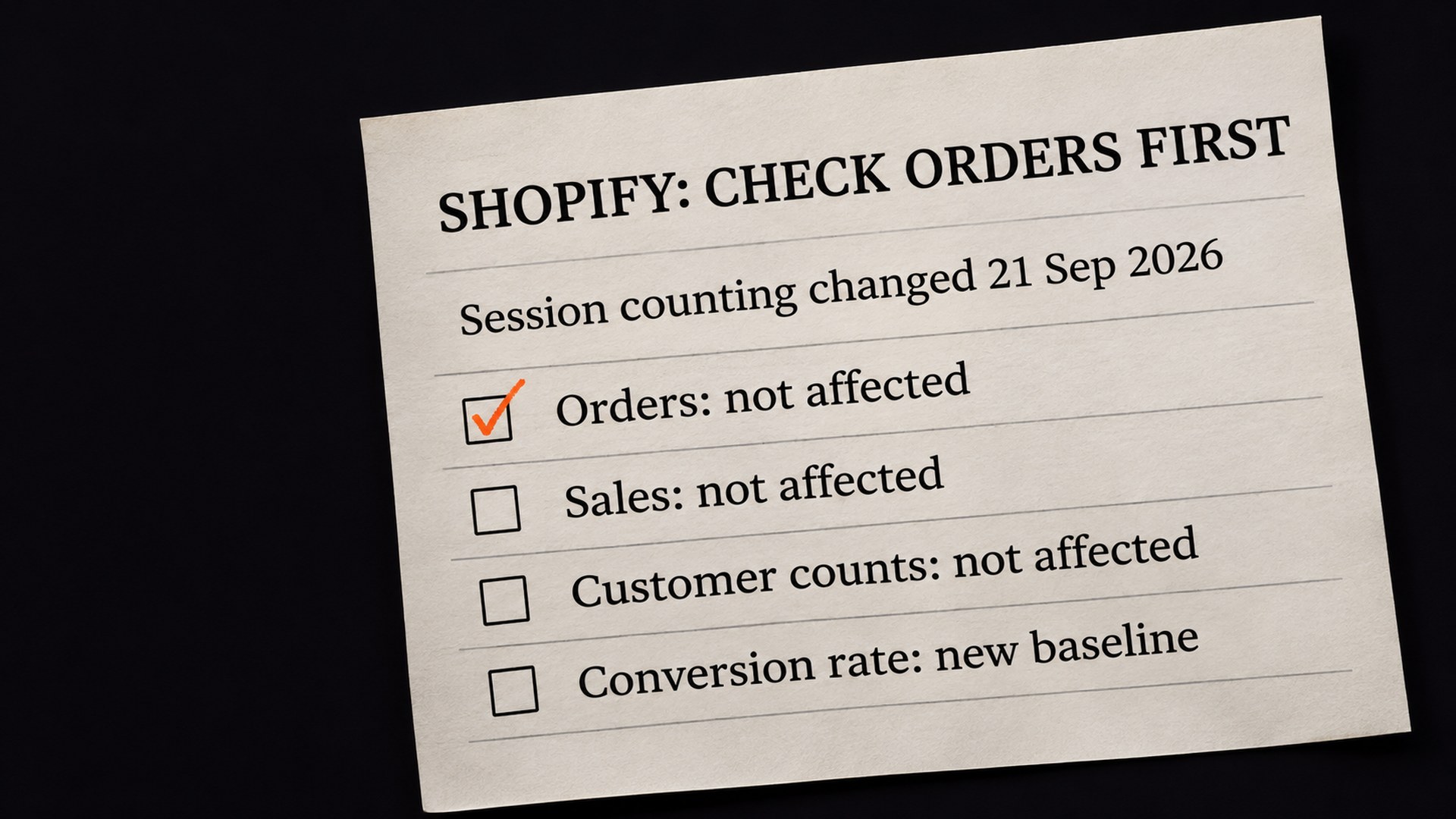
- What did not: Shopify says total orders, sales and customer counts are not changed by the update.
- The rule for the weekend: check orders and sales first, sessions second, and only then decide whether anything on the store needs touching.
- The comparison trap: last year's Black Friday sessions were measured the old way, so this year's conversion rate is not directly comparable, even with the same bot filter.
On 21 September 2026 Shopify posted a short changelog note about how its Analytics counts sessions. One sentence in it deserves a place on your desk for the Black Friday weekend: "This doesn't necessarily mean that your traffic, orders, or customer behavior changed."
If your Shopify conversion rate has looked different since late September, higher or lower, that note is the first thing to rule in or out. Shopify changed the denominator. Sessions are counted a new way, so every rate built on sessions can move with them, while Shopify says orders, sales and customer counts are not changed.
Black Friday is 27 November 2026, and a conversion rate that looks wrong on Black Friday weekend is exactly when people change a theme, pull an app or cut an ad budget in a hurry. This guide covers what Shopify changed, which numbers moved and which did not, and how to read the weekend against a baseline that is actually comparable.
Why your Shopify conversion rate changed in September 2026
Conversion rate is a fraction. Orders sit on top, sessions sit underneath. Shopify's help page on the session measurement update says it plainly: "Conversion rate is calculated from sessions." Change how sessions are counted and the rate changes, even on a day when exactly the same people bought exactly the same things.
The help page lists four changes to how a session is measured:
- No midnight split: sessions are based on continued customer activity, instead of ending at midnight Coordinated Universal Time (UTC).
- 30 minute rule: a session ends after 30 minutes of inactivity.
- Visits without a pageview: some sessions that did not include a pageview now count, such as a customer going straight to checkout from a cart link.
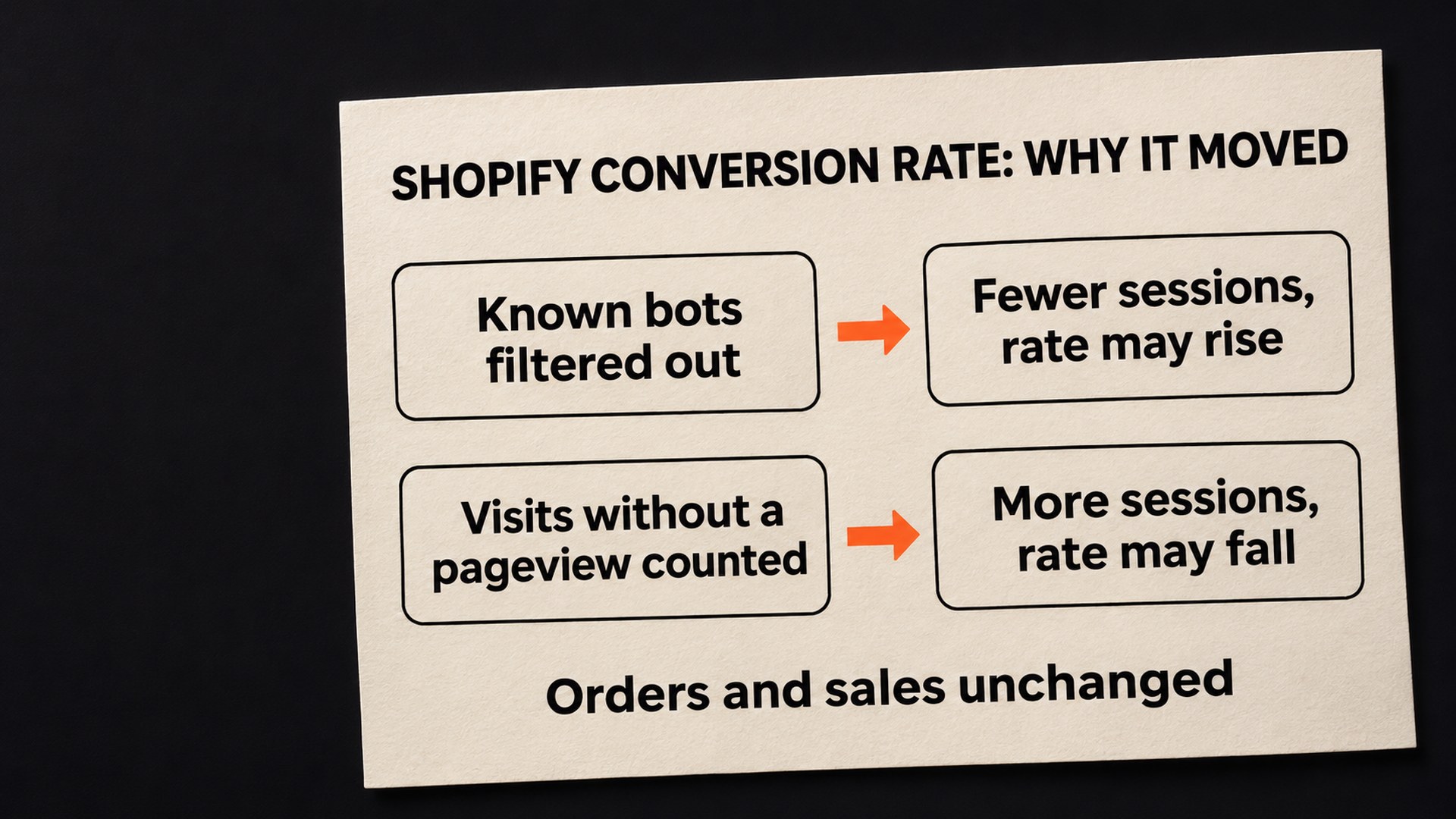
- Bots out by default: identified bot sessions are filtered out of session-related reports by default. In reports that support the Human or bot session filter, you can switch them back in.
These pull in opposite directions, which is why two stores can see opposite results. Filtering bots out and joining sessions that used to be split at midnight UTC both lower the session count, and fewer sessions push the conversion rate up. Counting visits that skip a pageview raises the session count, and that pushes the rate down. Shopify's own summary is fair: "A higher or lower conversion rate after this update isn't automatically good or bad."
The midnight change matters more for US stores than the name suggests. In November, US Eastern time is five hours behind UTC, so midnight UTC lands at 7pm Eastern. Under the old method, a shopper browsing across 7pm Eastern on Black Friday evening could be counted as two sessions. My reading is that evening-heavy stores lost some double counting in this update, though Shopify does not publish a figure for how much.
How to know the session change is behind your numbers
Shopify's help page gives the test in one line: if your session-based metrics changed "but your orders, sales, and customer counts stayed the same, then the update might explain the difference." It says "might", and so do I. The update does not explain every dip, and a store can have a real problem and a measurement change in the same month.
Signs that point towards measurement rather than the store:
- The timing: the shift starts between 21 and 23 September 2026, when the rollout reached stores, rather than on the day you changed a theme, an app or a price.
- The spread: several session-based metrics moved at once (sessions, conversion rate, add to cart rate, bounce rate), while order count and sales follow their usual pattern.
- The direction: sessions moved while orders held. Bot filtering and the midnight join lower the session count, and visits without a pageview raise it, so either direction can come from the update as long as orders and sales follow their usual pattern.
- Your apps: an app that reads session data from Shopify Analytics can show the same shift. Shopify says the data available to that app can also change, and to ask the app developer how it uses session metrics.
Signs that point towards a real change are the reverse: orders or sales fell along with sessions, or the drop lines up with something you shipped. That is worth investigating properly, and nothing in this update explains it away.
What to check first before you change anything
The order matters here, because the cheapest checks rule out the most expensive mistakes. Shopify's help page sets out the comparison itself, and the order below is how we would work through it.
- Orders and sales: open the Analytics overview dashboard and compare the same date ranges. Shopify says to use it for order, sales and customer totals. If these held, Shopify's own wording is that your store's performance might not have changed.
- Sessions, after the update only: in Analytics, then Reports, open a sessions report such as Sessions by landing page or Sessions by device, and compare two periods that both fall after 23 September 2026.
- The same filter on both sides: in reports that support the Human or bot session filter, Shopify says to confirm that both periods use the same filter value.
- The surfaces you cannot adjust: the Home page and Live View show session data with identified bots filtered out, and the filter there cannot be changed. If Live View is your Black Friday screen, its session numbers are human-only by design.
- Custom reports: any custom report that uses session-based metrics needs a second look, because Shopify notes those can change too.
Shopify also says most merchants do not need to take any action for this update. The exception is a store that received a message about its storefront, which Shopify links to guides on session cookie rotation, Hydrogen and custom headless setups. If that message came to you, it goes to whoever built the storefront.
How to read Black Friday against the right baseline
Shopify's advice is to "treat this as a new baseline for session-based metrics." In practice that means judging the weekend against the weeks since the update, not against last year.
Shopify's bot classification applies only to sessions from 7 October 2025 onward. Black Friday 2025 was 28 November 2025, so last year's sale does fall inside the period where the bot filter works, and it is tempting to think that setting the same filter on both years makes them match. Shopify says otherwise: using the same filter setting "doesn't make sessions measured before the update directly comparable with sessions measured after the update." Last year's sessions were still split at midnight UTC and did not count the visits that skipped a pageview.
So a year-on-year conversion rate for Black Friday 2026 compares two different measurements. Orders and sales year on year are still a fair comparison, because Shopify says the update does not change them.
The useful baseline is the period from 24 September 2026, after the rollout finished, up to the week before the sale. It is short, and it covers ordinary weeks rather than a peak, so treat it as a guide to the shape of your funnel rather than a target. Shopify also notes that your historical data is not deleted or reprocessed, so last year's reports are still there to read, as long as you read their session numbers as a different measurement.
Two more comparisons I would hold loosely this weekend:
- Ad clicks against sessions: ad platforms count clicks, and Shopify now counts sessions differently, so the gap between the two numbers can look different from the one you were used to before September. A wider or narrower gap on its own does not prove that an ad platform or the store is broken.
- Shopify against Amazon: if you sell the same product on Amazon, the two conversion rates were never built on the same definition of a session, and since 21 September the Shopify side of that comparison has moved again. Our guide on what to check when your Amazon conversion rate is too low covers the Amazon side on its own terms.
Amazon sellers have seen this pattern before. When Amazon Ads changed how it credits purchases to Store ads, the ad-credited store numbers fell with no change to the store itself, which our guide to the Amazon store attribution change walks through. A dashboard that changes its rules looks exactly like a business that changed its results until you check the orders.
How to stop the next measurement change catching you out
This will not be the last time a platform changes what a session means. A few habits make the next one cheaper.
- Mark the date: put 21 to 23 September 2026 as a note on any dashboard or spreadsheet that tracks Shopify sessions or conversion rate, so nobody reads a trend line straight across it. Shopify's report editor may show its own notice when a query crosses 21 September 2026, but your own spreadsheets will not.
- Lead with orders: make orders, sales and customer counts the first numbers anyone looks at, and session rates the second. Shopify says those totals were not changed this time.
- Read the changelog monthly: the Shopify changelog entry was public on day one. Ten minutes a month on it costs less than a theme rebuild nobody needed.
- Keep the filter consistent: the Human or Bot session filter arrived on 27 October 2025. Pick one setting for your recurring reports and keep it, so every comparison inside the new baseline is like for like.
If Shopify sits alongside your Amazon and Walmart catalogs, the multichannel selling tools guide covers what to connect. Two other Shopify topics are worth reading before peak too: Shopify Payments reserves and payout holds, and the Managed Markets duties switch.
Get your channel numbers read before you change the store
A conversion rate that moves on Black Friday is stressful, and I understand how you feel when the instinct is to fix something. Most of the time the better first move is reading the numbers properly, and that is the work we do for brands selling on more than one channel, through our marketplace expansion service.
If you also sell on Amazon, our free ASIN audit looks at one of your listings and sends you a written report of what we find. We tell you what we see and what we would look at next. We cannot promise what a fix will do to your numbers, and no one honestly can.
Common questions about the Shopify session change
Why did my Shopify conversion rate change in September 2026?
Shopify changed how Analytics measures sessions, in a rollout that ran from 21 to 23 September 2026. Conversion rate is calculated from sessions, so when the session count changes, the rate can change with it, even where orders and sales stayed the same. Depending on the store, the rate can go up or down.
Did Shopify's session change affect my orders or sales?
Not the totals. Shopify's changelog says orders, sales and customer counts are not changed by the session measurement update, which makes them the safest numbers to compare across 21 September 2026. Reports that attribute orders or customers to sessions, such as orders by landing page, can still shift.
Can I compare Black Friday 2026 with Black Friday 2025 in Shopify?
You can compare orders and sales. Session-based numbers such as conversion rate are a different matter: Shopify says using the same Human or bot filter setting does not make sessions measured before the update directly comparable with sessions measured after it. Treat the period after the update as a new baseline.
How do I filter bot traffic out of Shopify Analytics?
Since the update, identified bot sessions are filtered out of session-related reports by default. In reports that support the Human or bot session filter, you can change the filter to include them. The Home page and Live View filter identified bots out and do not let you adjust it, and bot classification only applies to sessions from 7 October 2025 onward.
When does a Shopify session end now?
Shopify's help page says a session ends after 30 minutes of inactivity, and sessions are based on continued customer activity instead of ending at midnight UTC. Some visits without a pageview, such as going straight to checkout from a cart link, now count as sessions too.
Sources
- Shopify Analytics session measurement improvements, Shopify changelog (21 September 2026)changelog.shopify.com
- Changes to sessions and conversion rate in Shopify Analytics, Shopify Help Centerhelp.shopify.com
- Filter out bot traffic in your sessions related reports, Shopify changelog (27 October 2025)changelog.shopify.com
Founder, AVA INC.
Shilpi Dudani is the founder of AVA INC. Her team manages Seller Central accounts, fixes catalog problems and optimizes listings for Amazon sellers.
Not sure whether this is your problem?
We will look at your account and tell you what is actually wrong before you spend anything.
Get your free, no-obligation audit