Shopify Payments reserve or payout hold: which one you have
Shopify Payments can hold your money as a reserve, an account hold or a slower payout schedule. How to tell which, and what Shopify says about each.

- 12 min read
- Marketplace Expansion
Fact-checked against Shopify's own pages on 26 Oct 2026
On this page
The short answer
- Three different things: a Shopify Payments reserve holds part, or in some cases all, of your money for a set period, an account hold pauses payouts until the cause is resolved, and a custom payout schedule can mean payout periods of 5 to 20 business days for accounts Shopify deems higher risk.
- Where to look: Finance, then Payouts, in the Shopify admin. It shows Pending and Reserve separately, and the Reserve line appears only when you have reserved funds.
- What Shopify lists as reserve risk indicators (the list is not limited to these): extended billing cycles, elevated chargebacks, an increased refund rate, extended delivery timelines such as pre-orders, and significant volume surges.
- How a reserve ends: every reserve has an expiry date and a review before it, and Shopify may lift, maintain, reduce or increase it. If the reserve email invites an appeal, you reply to it within the stated timeframe. Some reserves cannot be appealed.
- What stays uncertain: the pages I read do not give review times, and nothing in this guide means a reserve will be avoided or released.
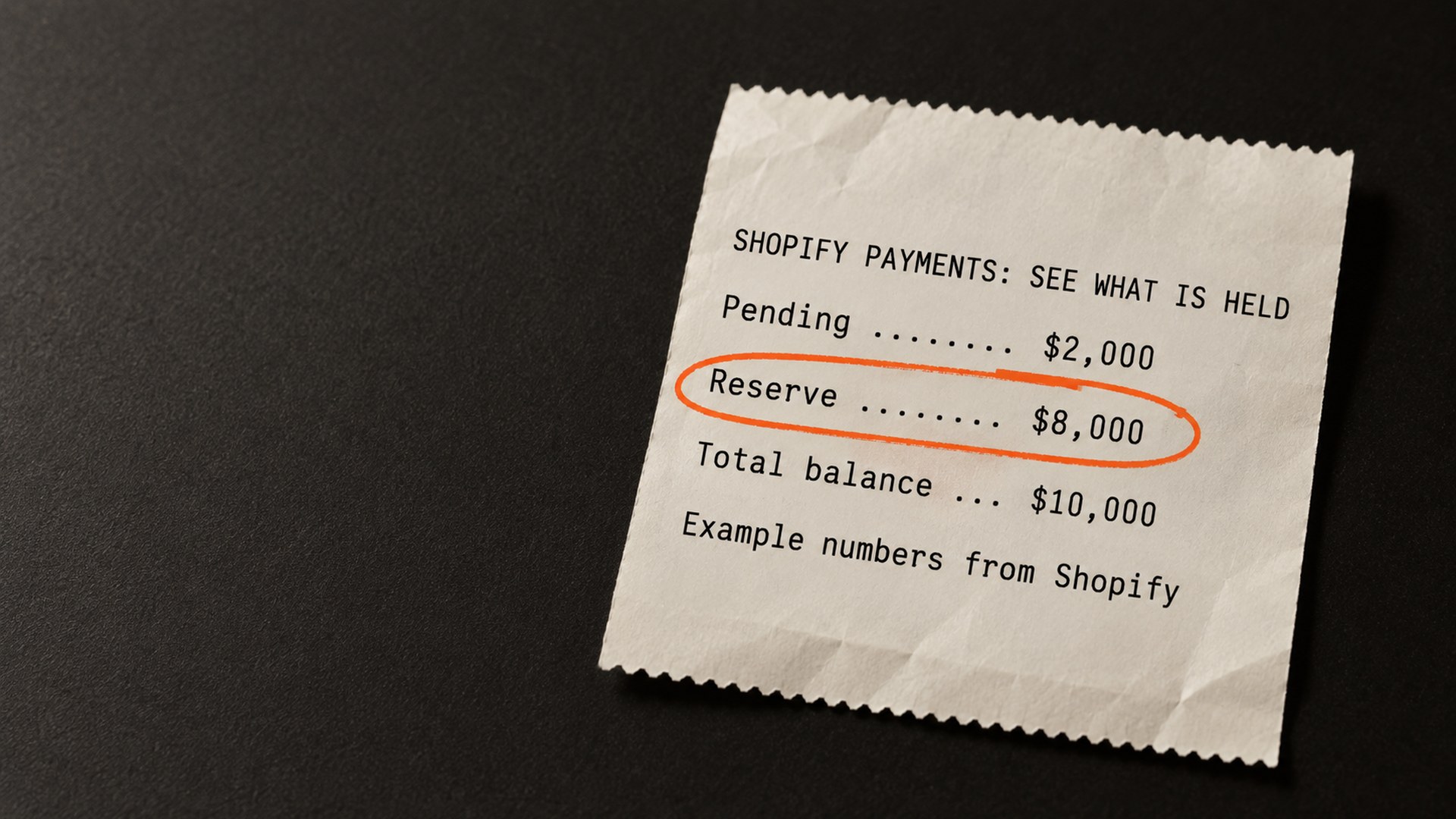
Shopify's help page on reserves gives an example worth keeping in mind. A store has a Pending amount of $2,000 USD and a Reserve amount of $8,000 USD, which makes a total balance of $10,000 USD. The $2,000 is available for upcoming payouts. The $8,000 stays on hold. Those are Shopify's example numbers, but the shape is the point: a reserve keeps most of the balance out of the next deposit, even though sales are going through as normal.
That is a Shopify Payments reserve, and it is one of three different things that can sit between a sale and a deposit. A reserve, an account hold and a slower payout schedule each have their own rules for how they start and how they end. Shopify's help pages describe all three. I read them on 26 October 2026, and none of them says how many days a review takes or how many days an appeal window lasts.
This guide separates the three, shows what Shopify says starts and ends each one, and covers what an Amazon brand opening its first Shopify store for the Black Friday weekend can sensibly do before the traffic arrives.
Why does Shopify Payments put a reserve on a store?
Shopify's Overview of reserves in Shopify Payments defines a reserve as a temporary hold on a portion, in some cases a full amount, of the transactions you process through Shopify Payments, for a specified period. The stated purpose is protection against losses from things like chargebacks and refund volumes.
The mechanism is simple once you see whose money it is. When a customer opens a dispute with their bank, Shopify says the payment amount and any dispute fees are deducted from your account. A reserve keeps funds in place to cover that. At the end of the period, the funds that are no longer needed for refunds or disputes are returned in full.
My reading of that is that a reserve is Shopify pricing a risk, not announcing a verdict on your business. Shopify says it may start one after an assessment finds an increased level of risk, and that the amount is based on your risk level and on potential losses from disputes or refunds that exceed what you could manage at your sales volume.
Two kinds exist, both from the help page:
- Fixed amount reserve: a specific sum held for a defined period. Shopify's example is $1,000 USD for 120 days.
- Percentage-based reserve: a share of each transaction held for a period. Shopify's example is 10% for 120 days, with the other 90% paid out in regular payouts.
The 120 days appear in both examples. They are examples, and your own reserve email states your own terms.
The five risk indicators Shopify names
Shopify's list says "including but not limited to", so it is not complete. The five it names:
- Extended billing cycles: annual subscriptions are the example, because customers can cancel or change their mind long after paying.
- Elevated chargeback activity: disputes, unrecognized transactions, late delivery or an unhappy customer.
- Increased refund rate: Shopify reads it as a sign of fulfillment or product-quality problems.
- Extended delivery timelines: event organizers, custom orders and pre-orders are the examples.
- Significant volume surges: Shopify describes the concern as difficulty managing customer demand, potentially indicating fraud.
The last two are the ones an Amazon brand is most likely to meet in the fourth quarter, because a first Black Friday through a Shopify store can mean both a surge and items that ship after the order. That is my reading of the list, not something Shopify says about Amazon brands. The help page also does not say how big a surge has to be, or how Shopify compares it with a store's history.
How do you know if it is a reserve, an account hold or a slower payout schedule?
They look alike from the bank account side, because money is late. They are different on the Shopify side.
| What it is | What you see | What Shopify says about how it ends |
|---|---|---|
| Reserve | Part, or in some cases all, of the money is held for a set period. With a percentage reserve, the rest is paid out as normal. Finance, then Payouts, shows Reserve beside Pending. | At the expiry date, after a risk assessment that may lift, maintain, reduce or increase it. Or through a successful appeal, or by meeting requirements the reserve email lists. |
| Account hold | Your Shopify Payments account is paused. You can keep running the store but cannot receive payouts through Shopify Payments. | When the cause is resolved. Shopify says the fastest route is to provide what it asks for and reply directly to its email. |
| Custom payout schedule | Payouts arrive on a slower cycle. | Shopify gives no end condition. It says accounts it deems higher risk can have payout periods of 5 to 20 business days, that settlement times are reviewed automatically, and that Shopify Support cannot shorten them on request. |
For an account hold, Shopify says the reasons are account specific. It lists information requirements, incorrect bank account details and product eligibility, and also supportability, sanctions and creditor or legal action. A creditor hold is the odd one out. The payment processor places it, Shopify says it cannot remove it, and only the processor can after the creditor releases it. Shopify says to contact your creditor directly, and that you can also consult independent legal counsel.
During a hold, customers can in most cases still check out, but you are not paid for those orders until the hold is resolved. In some cases the store cannot accept new orders. The banner in your admin or the email to the store owner says which applies.
Walmart sorts the same worry into four named payment activities, which I went through in the Walmart payment hold guide. If you sell on Walmart too, it is worth reading the two side by side, because the vocabulary overlaps and the rules do not.
What to check first when a Shopify payout is late
Start with the cheapest checks. They also tell you which of the three you are dealing with.
- The Payouts page: Finance, then Payouts. If there is a Reserve line, you have reserved funds. Click it to see the reserve transactions, and export them to a CSV if you want a record. Shopify's changelog entry of 23 May 2026 says the figure once labeled "To be paid" is now "Payout balance", a change in wording only, so the labels on your screen may differ from the help page's. See Shopify's changelog.
- The store owner's email, including spam: Shopify can also put a newly set-up account on hold until its banking partners verify your business details. Shopify sends reserve terms and hold notices to the store owner. Only the store owner can open Shopify Payments account details, so a staff member may see only a generic prompt. Settings, then Users and permissions, shows which address is the owner's.
- What the email actually asks for: an invitation to appeal and a list of removal requirements are different things, and the next section explains why.
- A recent bank account change: Shopify's payout timing page says changing your payout destination to a new external bank account, or adding one more than 24 hours after setup, pauses payouts for 3 to 5 business days. Switching to Shopify Balance is the exception it names.
- The ordinary delay: after a payout is sent, the same page says it might take 1 to 3 more days to appear in your bank.
One caution from Shopify itself. Before you click links in a hold email or give out business or banking details, Shopify points you to its phishing guidance. That is sound advice when money is late and you are anxious to fix it.
How does a Shopify Payments reserve get reviewed, appealed and released?
Every reserve has an expiry date. Before it, Shopify reviews the account and a risk assessment decides whether to lift, maintain, reduce or increase the reserve. If no extension is needed, the reserved amount joins upcoming payouts, and Shopify says that can take several business days to process.
The appeal route depends on the email. Shopify says you appeal by replying to the reserve email within the timeframe it specifies. It also says some reserves cannot be appealed. If the email lists specific requirements for removal instead of inviting an appeal, you meet the requirements, and the reserve is then removed automatically. So read the email before you write a long reply that has nowhere to go.
One accounting detail can confuse you. If a reserve is released early, you might see a bulk positive reserve transaction. On the original expiry date, Shopify says matching negative transactions offset it. That is Shopify's description of how the early release is accounted for, so a negative entry on that date is not necessarily a new reserve.
What the help pages do not say
Three things are missing from the pages I read, and I would rather say so than guess:
- No review length: none of the three pages gives a number of days for a risk assessment.
- No appeal deadline: the reserve page says "within the specified timeframe" and the hold page gives no appeal deadline.
- Nothing about warning Shopify of a planned surge: no page says whether telling Shopify about Black Friday traffic in advance changes anything.
That third gap matters most this month. Warning Shopify first sounds sensible, but I found nothing from Shopify that says it changes anything, so it is not a step in this guide.
How can an Amazon brand lower the odds of a Shopify reserve before Black Friday?
Everything below is my reasoning from Shopify's own indicator list. It is not a Shopify rule, and none of it means a reserve will not be placed.
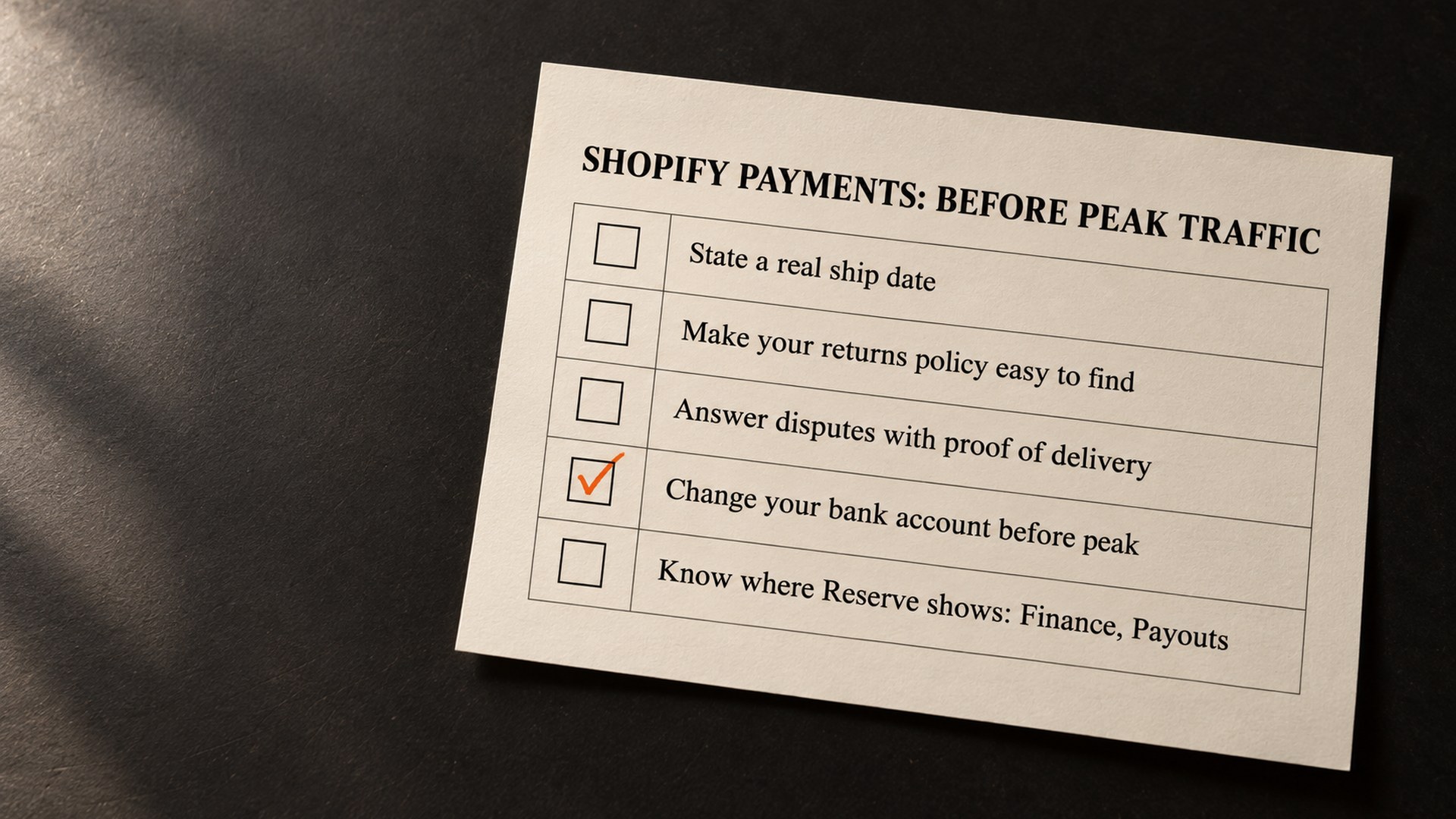
- Pre-orders: state a realistic ship date on the product page. Shopify names pre-orders under extended delivery timelines, and a vague date is the part you control.
- Refunds and disputes: make the returns policy easy to find, and answer any dispute with tracking and proof of delivery. Shopify names both elevated chargeback activity and an increased refund rate as indicators.
- Bank details: if you need to change your payout bank account, do it well before peak, not during it, because of the 3 to 5 business day pause.
- Volume: a surge is the indicator you cannot avoid on purpose, since sales are the point. Shopify does not say how it measures one, so the useful move is planning for the money to arrive late.
- Cash planning: do not let ad spend or a supplier payment depend on a Shopify payout landing on a particular day in November. Shopify lets a store offer a third-party payment provider alongside Shopify Payments, though its third-party payment providers page says third-party transaction fees apply to those transactions (PayPal is an exception when Shopify Payments is your primary provider), so weigh that before peak. It does not release money already held.
If you already run Shopify next to Amazon and Walmart, the multichannel selling tools guide covers what to connect. And if the store sells abroad, the Managed Markets duties guide covers another recent Shopify change that touches prices at checkout.
Get a second pair of eyes on your Shopify setup before peak
The appeal itself is between you and Shopify, and I will not pretend otherwise. What we can look at is the setup around it: how the store handles pre-orders, how ship dates and returns read on the page, and how Shopify sits next to your Amazon and Walmart catalogs. That sits inside our marketplace expansion work.
If you would like us to look at your store before the Black Friday traffic arrives, get in touch. We read what is there and tell you what we see. We cannot tell you what Shopify will decide, and no one honestly can.
Common questions about Shopify Payments reserves and holds
How long does Shopify Payments hold a reserve?
Each reserve has its own period and expiry date, set out in the reserve email. Shopify's help page uses 120 days in both of its examples, but those are examples. Before the expiry date Shopify reviews the account and may lift, maintain, reduce or increase the reserve, so no one can promise your reserve will end on a given day.
Can I still take orders while Shopify holds a reserve?
Generally yes. Shopify says reserves do not stop you accepting payments through Shopify Payments unless Shopify explicitly tells you otherwise. An account hold is different: in most cases customers can still check out, but you are not paid for those orders until the hold is resolved, and in some cases the store cannot accept new orders.
How do I appeal a Shopify Payments reserve?
Reply to the reserve email within the timeframe it specifies. Shopify says some reserves cannot be appealed. If the email lists requirements for removal instead of inviting an appeal, the reserve is removed automatically once you meet them.
Why is my Shopify payout late?
Causes include those on Shopify's payout timing page: an account review, a change of payout bank account (a 3 to 5 business day pause), or a custom payout schedule of 5 to 20 business days for accounts it deems higher risk. Banks can add 1 to 3 days after a payout is sent. The banner in your admin and the email to the store owner say which applies, and if you cannot tell, Shopify says to contact Shopify Support.
Where do I see my Shopify reserve?
In the Shopify admin, go to Finance, then Payouts. Shopify's help page says the page shows Pending and Reserve, and your total balance is the two added together (its changelog notes some labels were reworded on 23 May 2026). The Reserve line appears only when your account has reserved funds. Click it to see the reserve transactions and export them to a CSV.
Does a sudden sales surge cause a Shopify reserve?
Shopify names significant volume surges as one risk indicator among several, and says its list is not complete. Its pages do not say how large a surge has to be, so I cannot tell you what size triggers one. Shopify does not describe a surge on its own as a certain cause.
Sources
- Overview of reserves in Shopify Payments, Shopify Help Centerhelp.shopify.com
- Clearer payout balance and reserve information in Shopify Payments, Shopify changelog, 23 May 2026changelog.shopify.com
- Understanding Shopify Payments payout timing, Shopify Help Centerhelp.shopify.com
- Third-party payment providers, Shopify Help Centerhelp.shopify.com
- Shopify Payments account holds, Shopify Help Centerhelp.shopify.com
Founder, AVA INC.
Shilpi Dudani is the founder of AVA INC. Her team manages Seller Central accounts, fixes catalog problems and optimizes listings for Amazon sellers.
Not sure whether this is your problem?
We will look at your account and tell you what is actually wrong before you spend anything.
Get your free, no-obligation audit