Amazon ad rejected for a price claim: what to change before Black Friday
Amazon Ads' Pricing and Promotions page, dated 15 November 2026: the price wording, typed numbers and 10% rule to check in creative before Black Friday.

- 11 min read
- PPC & Advertising
Fact-checked against Amazon's own pages on 22 Nov 2026
On this page
The short answer
- Typed numbers: if a price claim got your Amazon ad rejected, start here. On retail placements the page allows a price or saving as a number only when Amazon renders it dynamically in the ad.
- Eight example phrases: “Best/Top price” and “Unbeatable price” are two of eight examples of pricing wording the page does not allow, and the rule is wider than the list.
- Landing page match: on retail placements the claim has to match what the shopper sees on the landing page for the whole campaign.
- The 10% rule: on retail placements, an ad linking to a multi-ASIN page or Brand Store needs at least 10% of the products (or a locale’s required share) at the maximum saving it claims.
- Still open: there is no effective date, and “deal teasing” has no definition on the page.
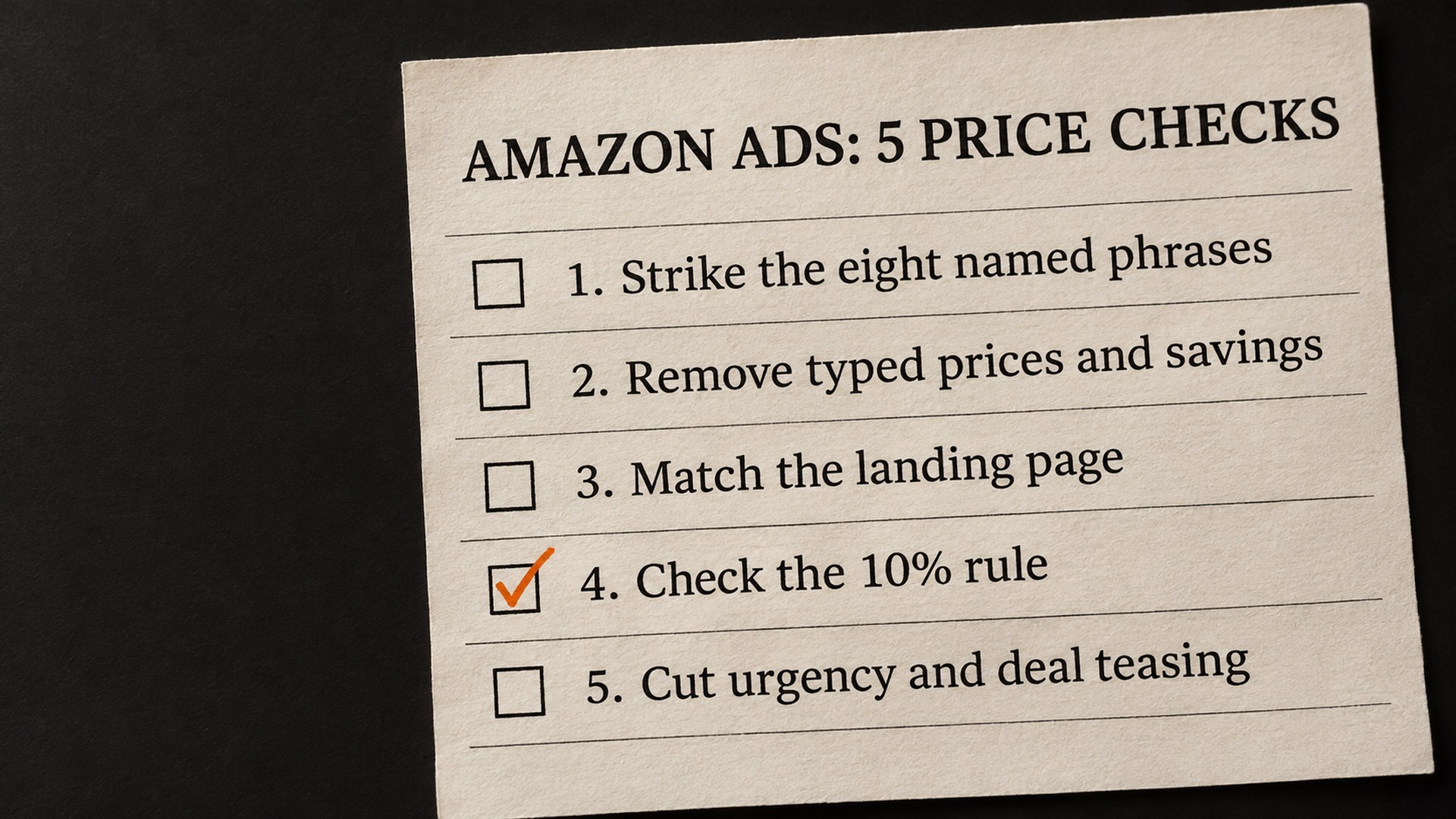
When an Amazon ad is rejected for a price claim, the page to read is Amazon Ads’ “Pricing and Promotions” policy, which carries an update date of 15 November 2026. That is twelve days before Black Friday on 27 November. PPC Land reports that it gives no effective date and no record of what changed, and Novoads adds that Amazon’s change log dates an update to its pricing and promotions guidance to March 2026, so nobody outside Amazon can say what is new on 15 November.
I understand how that feels. A rule shows up with a date, no changelog and a peak-season deadline, and you cannot tell whether the creative already running is fine. I read the page on 22 November 2026, along with two Amazon Ads guides and Amazon’s Event days page, and this guide sticks to what those say. Where Amazon has left a gap, I say so and do not fill it.
Why was my Amazon ad rejected for a price claim?
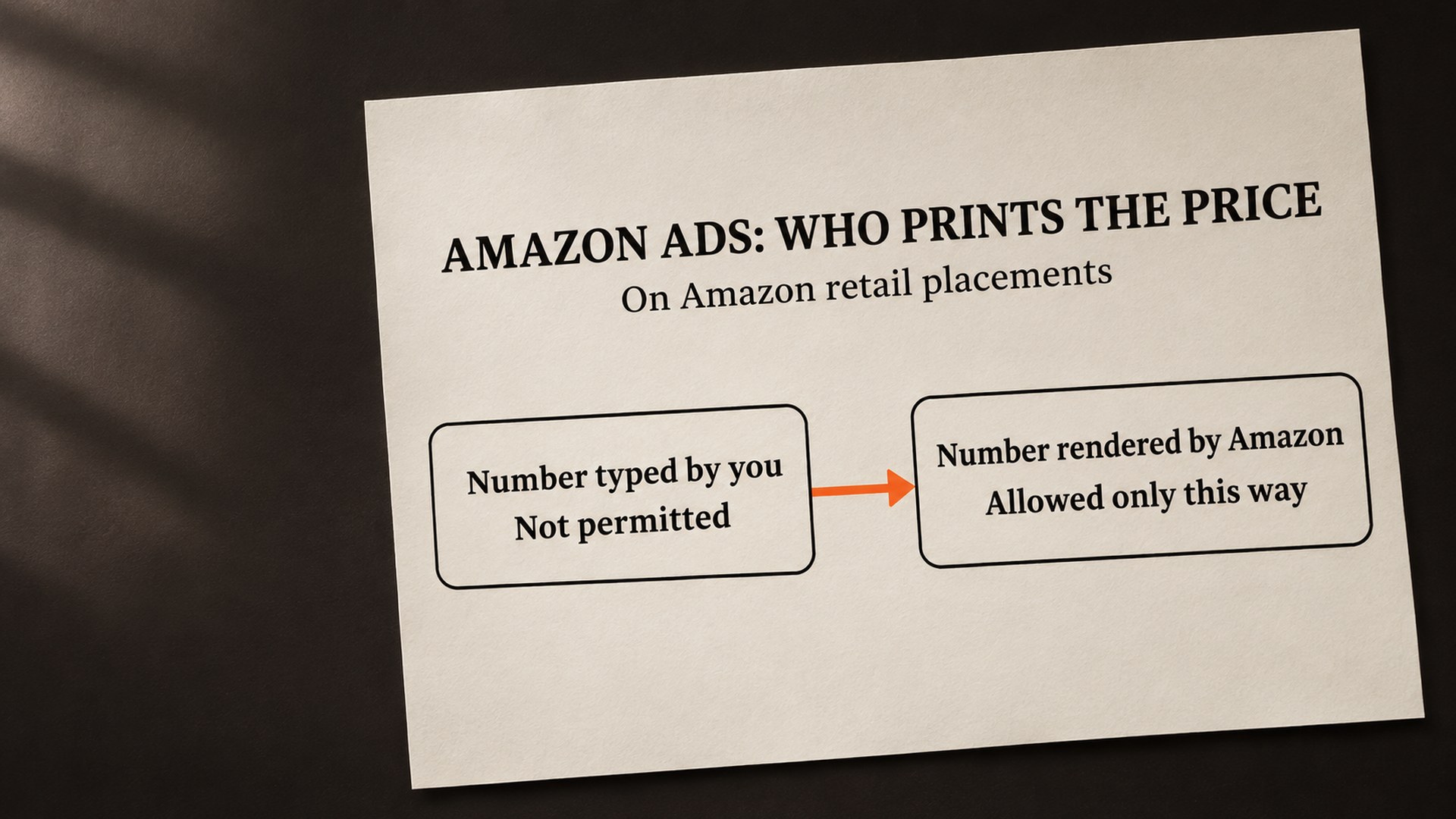
The simplest reading is that Amazon wants to be the only one printing the number. The page’s retail section says: “Numerical prices or savings are only permitted when rendered dynamically in the ad by Amazon.” It applies that section to all ad products on Amazon retail supply, and gives Amazon.com retail placements and Whole Foods Market digital placements as examples.
The reason is my own reading, so treat it as reasoning and not as Amazon’s explanation. A number typed into a headline last week cannot know what the price is today. A number Amazon renders at the moment the ad is shown can. The page does not say why it was written this way, and I would not guess further than that.
The same retail section says claims must match what the customer sees on the landing page for the full duration of the campaign, and that deal teasing is prohibited. None of it is entirely new. Amazon’s Black Friday and Cyber Monday guide already lists pricing claims that are “competitive, misleading, or cannot be proven”, such as “Best possible price”, “Unbeatable price” and “Price advantage”, as copy that is not allowed in Brand Stores. What looks different is that the rules now sit on one page, sorted by where the ad runs.
How do I know if a price claim is my problem?
A policy name in a rejection notice does not tell you which line to change, so the useful question is which of the example phrases, or which typed number, is somewhere in the creative. The page lists eight examples:
- Best/Top price
- Unbeatable price
- Competitive price
- Best possible price
- Introductory price
- Wholesale price
- Never before seen price
- Price advantage
These are examples, and the rule itself is wider: ads must not contain superlatives relating to pricing and savings, or pricing claims that are “competitive, misleading, or can’t be proven”. So a phrase that is not on the list can still be a problem if it makes the same kind of claim. “Introductory price” is the one I would look at twice, because it sounds modest and still talks about the price later. PPC Land describes it as a claim that the price will rise.
Urgency belongs in the same sweep. The retail section says ads must not include language that forces an urgent decision, with “buy now or regret later” as its example.
What to check first on Amazon ad price wording
The cheapest place to start is wherever a number or a deal word can hide. It is rarely only the headline, so I look at the places below in this order, because the first two are the ones people forget are part of the ad.
| Where the words sit | What I would look for |
|---|---|
| Custom images and logos | A saving or price baked into the picture, which the ad cannot render dynamically |
| Headlines and custom text | Any of the eight phrases, urgency wording, or a typed percentage |
| Responsive eCommerce headline | Amazon’s checklist says the custom headline “does not contain a price or deal” |
| Landing page or Brand Store | Whether the saving shown in the ad is actually there, in the same format |
| Queued and scheduled creative | Anything written earlier and waiting to go live |
The responsive eCommerce line comes from the ad policy checklist in Amazon’s Black Friday and Cyber Monday guide, which also asks that “all prices or savings on the ad creative are in the same format (percent vs. numerical value) as the landing page, and are easy to find on the landing page.” That is Amazon’s own wording, so it is a safer test than anything I could add.
How does an ad price claim get fixed?
The mechanism is the same in nearly every case: the number stops being yours and becomes Amazon’s, and the words around it stop making claims Amazon cannot check. I describe the order I would work in and not a template, because what is allowed depends on the format.
Let the format print the price
Amazon’s Event days page says that numerical pricing claims must use dynamic or responsive ad formats when linking to product pages. Its holiday guide describes responsive eCommerce display ads as pulling strike-through pricing and deal badging from the product detail page automatically, and says the badge is only available on the “Shop now” variation. The pricing page itself does not list which formats can render a price, so for any other format I would not assume a typed figure is safe.
Say it without the number
Where a format cannot render a price, the Event days page says that generic and non-numerical subjective claims like “low price” are permitted and that comparative claims like “better price” are prohibited. For Brand Stores, the Black Friday and Cyber Monday guide gives approved copy with no number in it: “Explore our savings/discounts”, “Great savings/discounts”, Holiday/Season special and Great bundles on products. That list is for Brand Stores and not for every ad, and the pricing page bans superlatives, so I treat “great” as a word to keep out of ads until Amazon says otherwise.
Check the 10% rule against the real page
This is the one that catches people who did everything else right. Amazon’s holiday guide, writing about standard display ads, says that if you advertise a range such as “up to” or “from” plus a percentage, at least 10% of all the ASINs in the promotion selection must be offered at or above the maximum discount advertised. Its example is “up to 50%”, which means at least 10% of the ASINs at 50% off or more. The pricing page states the same 10% for multi-ASIN landing pages and Brand Stores on retail supply, and adds “or the required percentage per locale regulations”. It does not name a locale.
Keep the landing page and the ad saying the same thing
The same holiday guide says that if the ad promotes a percentage saving, the landing page must show the percentage and not only the price saving. It also says that when a claim becomes inaccurate because of dynamic pricing on the landing page, creatives must be paused and updated to use qualified claims, with “Save $XX or more” and “Save up to XX%” as its examples. During a long sale, where deals start and stop, this is the rule most likely to bite on day four and not on day one.
What has Amazon not said about this policy?
A fair amount, and I would rather list it than fill it in. These are the questions I could not answer from the page or from Amazon’s guides:
- The effective date: the page carries an update date of 15 November 2026 and no effective date. Novoads reports that the pricing guidance goes back to at least March 2026, so I cannot tell you whether creative that went live earlier is affected, or what changed.
- What “deal teasing” means: the pricing page says “Deal teasing is prohibited” and does not define it. Amazon’s Black Friday and Cyber Monday guide puts two sentences side by side: “All deals advertised should be live at the time the ad is live. Deal teasing is not permitted.” That is not a formal definition, but an ad pointing at a deal shoppers cannot buy yet is the case I would avoid. The Event days page adds that deal teasing is prohibited “in certain placements” without naming them.
- Which formats can render a price: the pricing page does not list them. The Event days page points to dynamic or responsive formats, and does not name any.
- What happens to a rejected ad: the page does not say what Amazon does to an ad that breaks a rule, and PPC Land’s report notes the same, so I am not saying there is a consequence beyond the rejection itself.
Outside Amazon’s own store, the page gives a shorter list. For non-retail Amazon supply such as IMDb, Fire TV and Streaming TV, it repeats the superlatives rule and the same eight examples, and asks that claims are available for the full campaign with material conditions disclosed. The deal teasing, urgency and dynamic-price lines appear only in the retail section. For third-party publisher sites and apps it says advertisers are responsible for accuracy and for complying with applicable laws and publisher requirements.
How do I stop price claims getting an ad rejected again?
What lasts is a habit. Reading the creative against the landing page on the day it is submitted, and again whenever a deal starts or ends, catches most of this, because a sale keeps moving after the ad is approved.
- Keep a list of live creative with price or deal wording. You cannot fix what you cannot find, and Amazon has not said what already counts.
- Write without the number first. If the approved version has no price in it, nothing needs fixing when the price moves.
- Re-read after each deal change. That includes a deal that ends early or a product that goes out of stock on the landing page.
- Keep the rejection notices. When Amazon is vague, the notice is the only record of what it objected to.
For the Brand Store side of the same problem, I wrote up the Brand Store rejection for Prime Day wording, and the deal rules that decide whether a promotion belongs on the page at all are in the Featured Deals widget guide. If a sale price on a listing is the part that worries you, the strikethrough price guide covers the listing side. For the timing of the sale itself, see the Black Friday deal deadline guide.
Have your Black Friday ad creative read before it is rejected
A rejected ad in the last week before Black Friday costs impressions you do not get back, and a rule with no effective date makes it hard to know what to trust. What I can do is read your live and queued creative against the wording above, and tell you which lines I would change and which questions only Amazon can answer. That is part of how we handle Amazon advertising for brand owners, and it starts with a look, not a promise. The free ASIN audit reads your public listing, so if the ad creative is the worry, say so when you ask and we will tell you what we can look at.
Common questions about Amazon ad price claims
Can an Amazon ad say best price?
Not on Amazon's own placements. Amazon's Pricing and Promotions page lists “Best/Top price” and “Unbeatable price” among eight example phrases, and bars price superlatives and claims that are “competitive, misleading, or can’t be proven” on retail supply and on non-retail supply such as IMDb, Fire TV and Streaming TV. The rule is wider than the list, so a similar claim can fail too.
Can I type a percentage off in my ad headline?
On Amazon retail supply, the page says “Numerical prices or savings are only permitted when rendered dynamically in the ad by Amazon.” Amazon's Event days page adds that numerical pricing claims must use dynamic or responsive ad formats when linking to product pages. Neither page lists every format that qualifies, so check the format before assuming a typed figure is safe.
When did the Amazon ads price rule start?
The Pricing and Promotions page shows an update date of 15 November 2026 and no effective date. PPC Land reports that it gives no record of what changed, and Novoads reports that Amazon's change log dates an update to its pricing and promotions guidance to March 2026. So I cannot tell you whether creative that went live earlier is affected.
What is the 10% rule in Amazon ads?
Amazon's holiday guide says, for standard display ads, that if you advertise “up to” or “from” plus a percentage, at least 10% of all the ASINs in the promotion selection must be offered at or above the maximum discount advertised. The Pricing and Promotions page applies the same 10% to multi-ASIN landing pages and Brand Stores on retail supply, or the required percentage per locale regulations. It names no locale.
What does deal teasing mean on Amazon?
The pricing page says “Deal teasing is prohibited” and does not define it. Amazon's Black Friday and Cyber Monday guide says that all deals advertised should be live at the time the ad is live, and that deal teasing is not permitted. That is not a formal definition, so an ad for a deal shoppers cannot buy yet is the case to avoid.
What can I write instead of a price?
Amazon's Event days page says generic and non-numerical subjective claims like “low price” are permitted, and comparative claims like “better price” are prohibited. For Brand Stores, Amazon's Black Friday and Cyber Monday guide gives approved copy with no number, such as “Explore our savings/discounts” and Holiday/Season special. Those Brand Store lines do not cover every ad.
Sources
- Pricing and Promotions, Amazon Ads Support Center (updated 15 November 2026)advertising.amazon.com
- Amazon bans 'best price' claims in ads, PPC Land, 17 November 2026 (third party)ppc.land
- Amazon Ads Pricing Policy: No Typed Prices on Amazon's Store, Novoads, 19 November 2026 (third party)novoads.ai
- Black Friday and Cyber Monday advertising tips, Amazon Ads guideadvertising.amazon.com
- Holiday shopping marketing campaign tips, Amazon Ads guideadvertising.amazon.com
- Event days, Amazon Ads Support Centeradvertising.amazon.com
Founder, AVA INC.
Shilpi Dudani is the founder of AVA INC. Her team manages Seller Central accounts, fixes catalog problems and optimizes listings for Amazon sellers.
Not sure whether this is your problem?
We will look at your account and tell you what is actually wrong before you spend anything.
Get your free, no-obligation audit